

Why did my send fail?
Short answer
Both the page after you send and the results page give the reason Jounce recorded, plus one button to the fix. Almost always, no one was emailed and your email and audience are saved.
It’s usually one of the checks Jounce runs as the send starts. The page reads This email wasn’t sent. The line below says exactly what stopped the email and what survived. Almost every reason ends with No one was emailed or your draft is untouched. The status label on the card reads Failed.
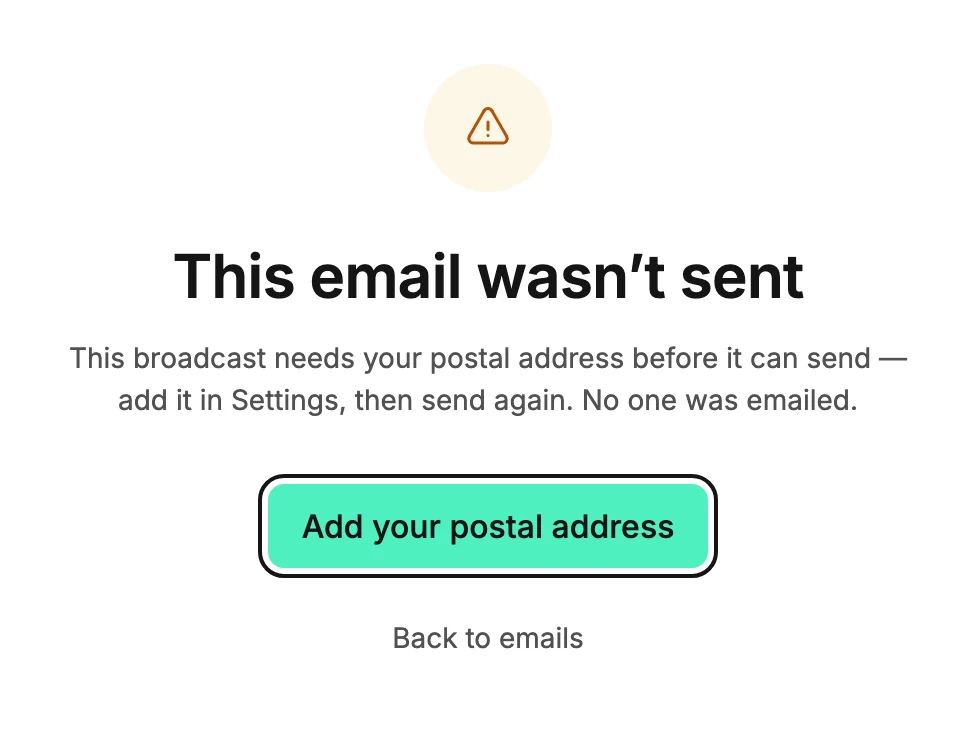
The button under the reason
One button opens the place that fixes it. Which one depends on the reason. The page after you send and the results page offer the same button, with one difference.
When the fix is in the editor, the results page reads Edit email. On the page after you send, the button reads Try again instead. To edit the email, open it from your Emails page.
| Button | The reasons it follows |
|---|---|
| Edit email | A block can’t be shown because its design is missing. A button or link points somewhere that isn’t a real web address. The email has no content, or almost no live text. A design that goes out as a picture holds a personalization tag or a link. A picture inside such a design didn’t load from its web address. The email has too many designs that go out as pictures. A line still has sample text, a testimonial still has sample or made-up words, a number is missing, a picture is empty, or a countdown has no end time. The email is too large, or Jounce couldn’t put it together. |
| Add your postal address | This broadcast needs your postal address before it can send. |
| Open your brand kit | Jounce needs your saved brand kit to make this email. |
| Edit audience | There are no valid, subscribed recipients to send to, the audience is larger than one send can reach or than your workspace’s daily limit while it’s new, or a segment it leaves out was deleted. It opens the send steps at Recipients. For a deleted segment, see Exclude people or segments. For the daily limit, see Why can’t I email my whole list yet? |
| Add the second subject | This A/B test needs a second subject line before it can send. |
| Review and send | None of these messages could be sent — wait ten minutes first. This send stopped before it got going. Jounce can’t tell who scheduled this send. The person who scheduled this send is no longer in this workspace. This send didn’t go through — Jounce lost its connection. This campaign is already sending. |
Back to emails sits under the button. Where this page has no fix to offer, it is the only button:
- the email was deleted, in another tab or by a teammate: This email was deleted, so there’s nothing to send.
- the send was interrupted after some people got it
- Jounce couldn’t confirm how far it got
- Jounce stopped the send and paused sending on this workspace
- the campaign already went out once
- the send you canceled is still stopping, which usually clears on its own within about a minute
- the rest of an A/B test leaves out a segment that was deleted, so only the test group got it
The reason says which, and names Duplicate when a copy is the way forward. A send Jounce stopped for a pause also offers Get help, which opens Why is my sending paused?. On the page after you send it sits under Back to emails. On the results page it is the button under the reason.
Note If sending was already paused when you pressed the send button, the page reads Sending paused, not This email wasn’t sent. Nothing failed. Your email is waiting behind the pause and goes out once the pause lifts. There’s nothing to fix or send again. See Why is my sending paused?
Try again
When the fix is in the editor, Try again is the main button. For some other failures it is a link under the main button, just after you press the send button. Either way, it re-runs the same send once you’ve made the fix.
The Try again link isn’t offered when you come back to the page later. Nor is it offered when a second try would hit the same wall, such as an empty audience.
If you’re an Editor
Sending needs an Admin or Manager. On the page after you send, an Editor sees the reason and Back to emails only. On the results page, the buttons that end in a send become Back to emails and the rest stay. Ask an Admin or Manager to send it. See Workspace roles.
After the fix
The results page for a failed email shows the same reason and the same button, so you can come back to it from the card. Its action reads See what happened. Once you send again and it goes out, the status label turns to Sent and the numbers take the reason’s place.
One reason usually clears on its own. The send you canceled is still stopping lasts until that send ends, usually within about a minute. The page after you send then changes by itself to how that send ended. The results page doesn’t update itself, so reopen it.
Usually the label then reads Canceled, and the page says how many people got it. If that send finished before it could stop, the label shows how it ended. If nothing went out, Admins and Managers see Review and send there, to send it again.
More in this topic
Updated