

Why does my email say Won’t send?
Short answer
Jounce is holding a scheduled send; nothing has gone out, and your email and audience are saved. The results page names the reason: some holds end on their own, and where a person has to end one, it offers the way to send it.
A hold is not a failure. The send is still scheduled, but something stands in its way. Some holds end on their own, and others wait for a person.
Nothing has gone out, and your email and audience are saved. The status label on the card shows the hold, not a hopeful Scheduled. Open the results page from the card to read the reason.
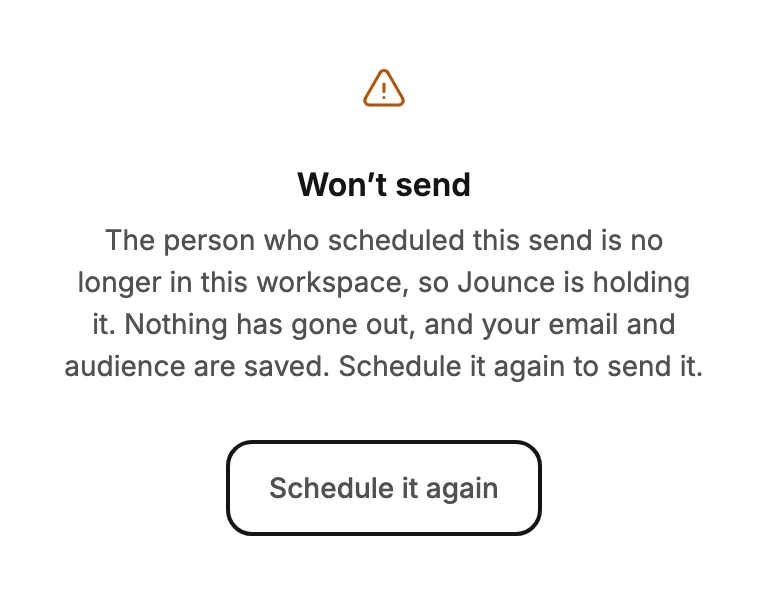
Won’t send
This send didn’t go through — Jounce lost its connection before it could start. You pressed the button while the app was offline, so the send never reached Jounce. The hold ends when someone schedules the email again. If no one does within a day, it changes to Failed.
If you’re an Admin or Manager, the page offers Schedule it again. It opens the send steps, and their last button sends or schedules the email again. An Editor sees Back to emails instead. Ask an Admin or Manager to open the card and choose Schedule it again. See Schedule your email for later.
If the person who scheduled a send has left the workspace, Jounce doesn’t hold it. It fails instead: once its time comes, nothing goes out and its status label reads Failed. See Why did my send fail?
Waiting on you
The person who scheduled this send hasn’t verified their Jounce account email yet. They need to verify it with the link Jounce sent them. Once they do, it goes out on its own within a few minutes. If they don’t verify within a day of its time, it waits for your OK instead, as Needs your OK explains.
An Admin or Manager can also send it from Schedule it again. See Verify your email.
Sending paused
The pause is on this workspace, not this email. This email is waiting behind the pause. A banner at the top of the app reads Sending is paused and says why. Usually too many recent emails bounced or were marked as spam. The banner’s link points you at what to do.
Jounce picks the held send up again as soon as the pause ends. If that’s more than a day past its time, it waits for your OK instead, as Needs your OK explains. See Why is my sending paused?.
Waiting to send
This one shows only on the page after you send, and the card keeps its Scheduled label. It reads Jounce reached today’s sending limit, so this send is waiting.
The email goes out on its own when the limit resets, usually within a day. If it’s more than a day late by then, it waits for your OK instead. If that’s too late for a dated email, cancel it from the emails list.
Needs your OK
Jounce held this email for more than a day past its time, so it won’t go out on its own. A pause, an account email waiting to be verified, or the daily limit can hold it that long. A sale or an event email that arrives days late looks broken, so Jounce waits for your OK.
Nothing has gone out, and your email and audience are saved. The card’s line reads Held since and the day it was due.
If you’re an Admin or Manager, the results page offers Send now and Reschedule. Both open the Review step, with your audience and subject as you left them. Send now arrives with When on Send now, so one more click sends it. Reschedule arrives with When on Schedule, so you pick the new time.
An Editor sees Back to emails instead; ask an Admin or Manager to send it. To drop it, choose Cancel sending on its card.
A hold of a day or less needs nothing from you: the email goes out on its own once the hold ends.
Careful A held send is still a send. If you no longer want it to go out, choose Cancel sending on its card rather than leaving it held. See Cancel a scheduled or sending email.
More in this topic
Updated