

Step 1 of 5
Add your mailing address
Short answer
Open the account menu, choose All settings, then Address, and fill in the form. Jounce saves it once it’s complete and prints it in the footer of every email.
When you’re done, the footer of every email you send carries your address. The Review step and Launch stop asking for it.
Jounce has to ask for a mailing address before you send. That’s because the rules for marketing email call for one in every message. Jounce puts it in the footer for you. A business address or a mailbox you can receive post at both work.
Your address goes in the footer of your emails. A page you publish shows it only if you switch on Show my mailing address too. See The Address page.
- Select your avatar at the top right and choose All settings.
- Choose Address under Personal.
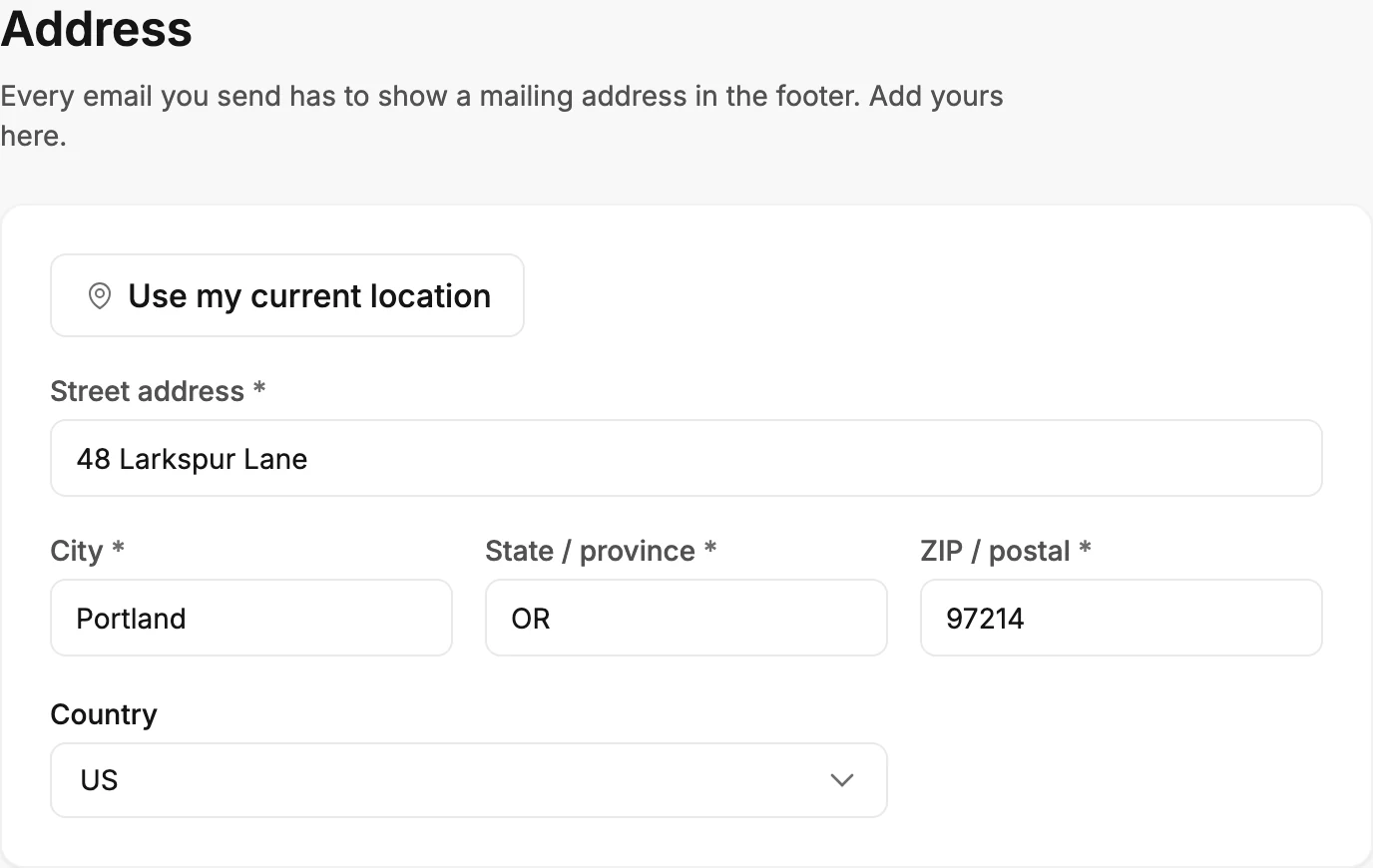
- Fill in Street address, City, State / province, ZIP / postal, and Country. Or select Use my current location and let your browser fill them in, then double-check the street.
- There’s no Save button. Once the address is complete, Jounce saves it and shows Saved.
From your website
A website scan on the Brand page can offer the address your site’s footer shows. Select Use this address there, and the steps above are done. See Fill your brand from your website.
If the Review step asks first
If you reach the Review step without an address, it says Your postal address has to be on every email. Select Add it. Fill in the same fields there and select Save address. Jounce saves it to your settings as well, so it asks only once.
If the Review step says Verify your email to send instead, that’s about your email address, not this one. See Verify your email address.
If Launch asks first
Launch and Relaunch ask for the address too, on an automation with a Send email step. A window opens: Add your postal address. Fill in the same fields and select Save address, then select Launch or Relaunch again. Jounce saves it to your settings as well, so nothing asks again.
If the automation is already live, a yellow strip says Jounce is holding this automation’s emails until you add your postal address. It has to be on every email. Select Add address on the strip.
Note Use my current location asks your browser for permission to share where you are. If Jounce can’t find an address there, it says so and you can type it in. See Why can’t Jounce find my location?.
Next step
Next on the path is Add your first subscribers. Each field, and how the page saves, is in The Address page.
More in this topic
Updated