

Opens by mail app and clicks by device
Short answer
Opens by mail app splits the opens between Gmail, Apple Mail, Outlook, Yahoo Mail, and Other or unknown. Clicks by device splits the clicks between Mobile, Desktop, and Tablet, and each row shows its share and a count.
The two lists sit near the foot of a sent email’s results page, a card each, under the numbers and any A/B test, opens first. The rows are sorted largest first.
Each row has a label, a bar, its share of the list, and the count. The bar is drawn to the share, so a row that holds half the list fills half its bar. On a phone, each bar takes a line of its own under its label.
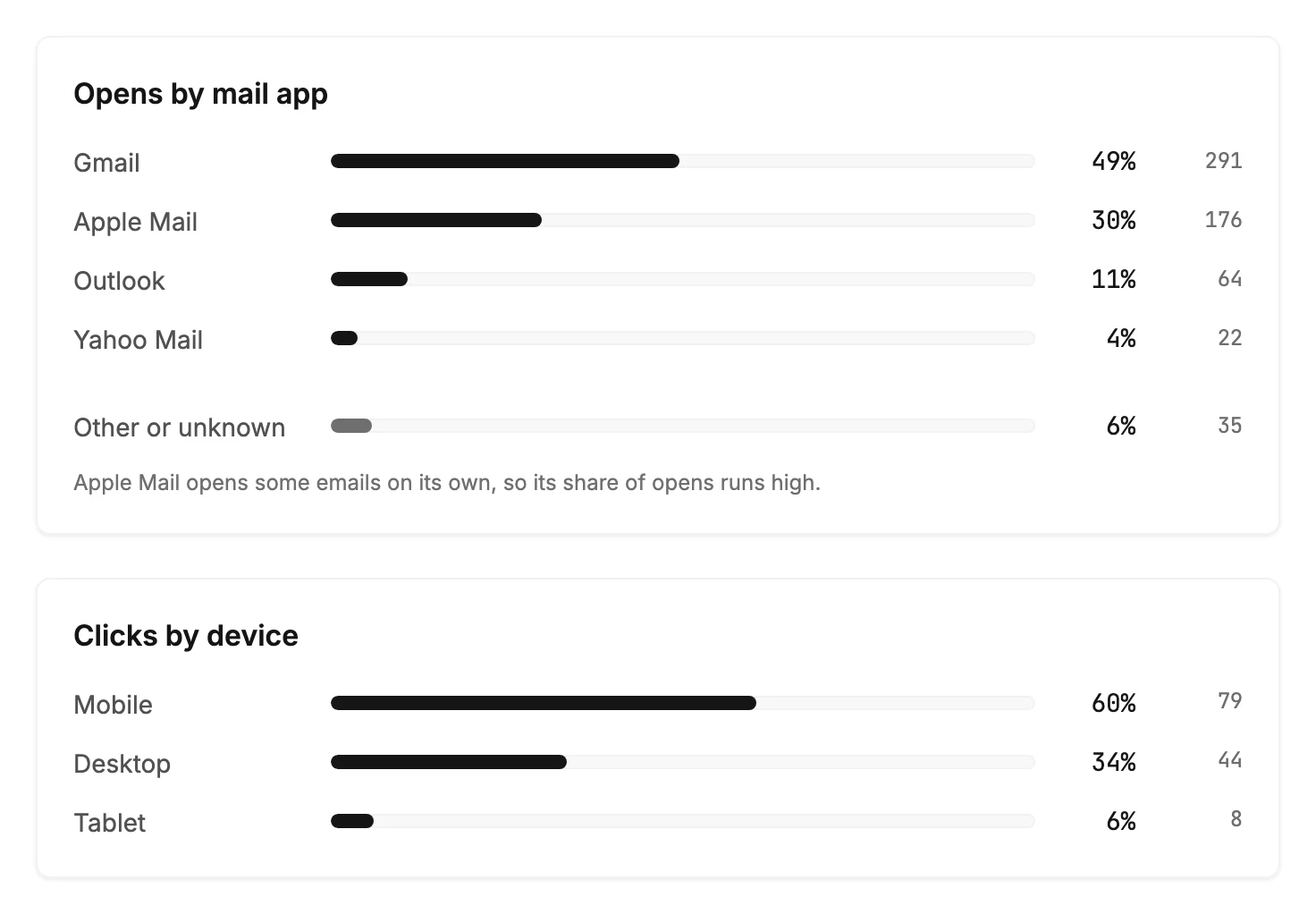
Opens by mail app
The rows are Gmail, Apple Mail, Outlook, and Yahoo Mail, with Other or unknown last, a little apart, for everything else. An app with no opens has no row. The shares add up to the opens Jounce could place in an app.
Apple Mail gets a line under the list when it has a row. It reads Apple Mail opens some emails on its own, so its share of opens runs high. Apple Mail can open an email before the reader does. So read the Apple Mail share as a ceiling, not a count of readers.
Clicks by device
The rows are Mobile, Desktop, and Tablet, worked out from the clicks alone. Opens can’t tell a device apart reliably, so this list never counts them. A send with no clicks shows no list.
Analytics adds up the same two lists across every send in a time range. See Opens by mail app and clicks by device across your sends.
When a list is missing
Both lists appear only for a send Jounce tracked. Opens by mail app started later than opens themselves. An email from before then shows its numbers and the device list but no app list. An older send with no tracking at all shows neither. See Why can’t I see results for an email?
More in this topic
Updated