

The Divider block
Short answer
In every email you create, there’s no Divider block: each layout draws the lines its design calls for. In the earlier editor, a Divider is a line whose panel sets its style, color, thickness, and width.
In every email you create, there’s no Divider block, and no tile for one in the tray. A layout draws the lines its design calls for, and they can’t be added or styled on their own. Jounce sets the gap between two blocks too. See Change the space around a block.
For an email that opens in the earlier editor, see the last section.
In an email that opens in the earlier editor
There, a Divider is a horizontal line. The Divider tile in the block tray adds one. Many designed layouts have one under a heading or a quote. Point at it and a small label reads Edit divider.
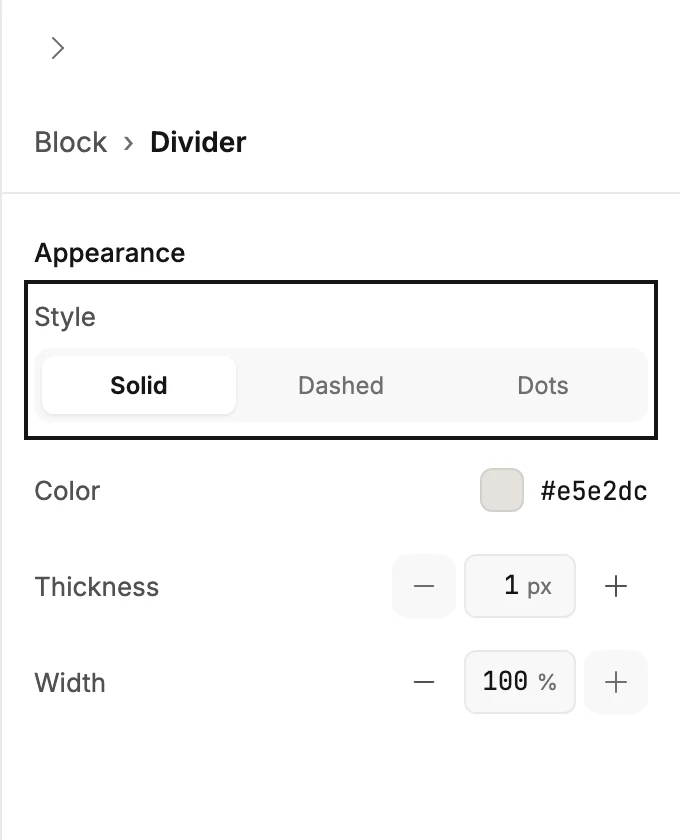
Select it and the panel reads Block › Divider.
Appearance
- Style is Solid, Dashed, or Dots.
- Color opens the color picker.
- Thickness is the line’s weight in pixels.
- Width is how much of the block the line spans, as a percentage. A line narrower than the block sits in the middle.
Background and padding
Select Block at the top of the panel. Background fills the band behind the line, and Padding sets the space above and below it. See The Block panel.
In the sent email
The mail app draws the line; it isn’t sent as a picture. So it shows even when pictures are hidden.
More in this topic
Updated