

The Spacer block
Short answer
In every email you create, there’s no Spacer block: each layout carries its own spacing, and Jounce sets the gap between two blocks. In the earlier editor, a Spacer is empty space with a height and an optional background.
In every email you create, there’s no Spacer block, and nothing to add. Each layout carries its own spacing, and Jounce sets the gap between two blocks. See Change the space around a block.
For an email that opens in the earlier editor, see the last section.
In an email that opens in the earlier editor
There, a Spacer is empty space. The Spacer tile in the block tray adds one. You can’t see it in the editor until you point at it. Then a small label reads Edit spacing.
Most of the time you don’t need one. Every block there has its own space above and below, set under Padding in its panel. A Spacer is for a gap larger than that, or for a band of color.
Select it and the panel reads Spacer.
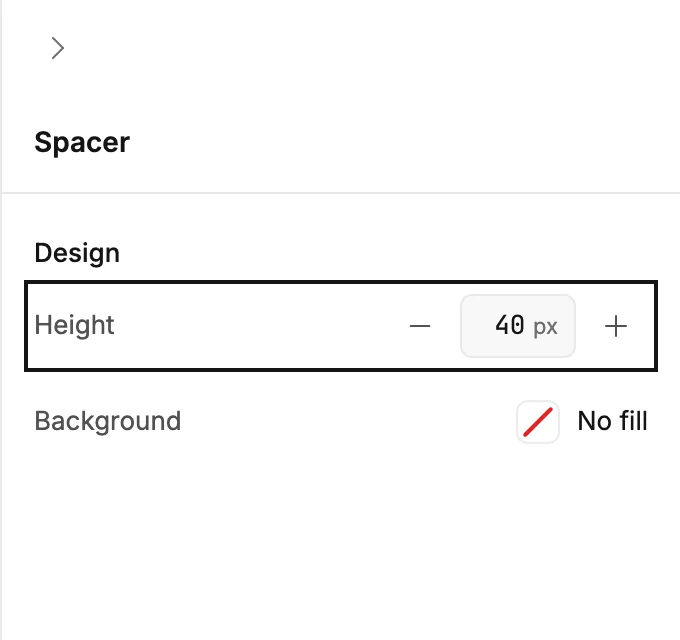
Design
- Height is the gap in pixels.
- Background opens the color picker. With a color, the Spacer is a band of that color the full width of the email. With No fill, it’s the email’s own background.
In the sent email
The gap is exact. A background color goes out with it.
More in this topic
Updated