

Show or hide part of a block
Short answer
Select the whole block and use the switch beside a part’s name under Elements. Off hides it; on brings it back with its words.
When you’re done, the part is out of the email or back in it, and the block keeps its shape.
These steps are for every email you create. For an email that opens in the earlier editor, see the last section.
- Select the block. If a part of it was selected, select Block at the top of the panel, or press Esc.
- Find Elements in the panel. It shows one switch for each part you can hide.
- Turn a switch off to hide that part.
- Turn the switch on to bring the part back with its words. If it had none, it shows the design’s sample words to write over.
A part inside a list sits under the list’s name, such as Products. One switch shows or hides that part on every item. The sample words come back there only when the part is empty on every item.
A name isn’t a link. To change a part, select it in the email.
Delete does the same
Pressing Delete on a part that has a switch turns the switch off. Jounce says Hidden — it stays in this block’s Elements list, with a Show button. A photo empties first. See Why can’t I delete this block?.
What has no switch
A block with nothing to hide, such as a single photo, has no Elements. A part with no switch belongs to the design itself. To lose it, choose Swap design for a layout without it.
The closing layout lists Social links last. Off, your social icons leave this email only. See Edit your social links from an email.
In an email that opens in the earlier editor
There, Elements sits near the bottom of the panel, folded. Select it, and it unfolds into one row per part.
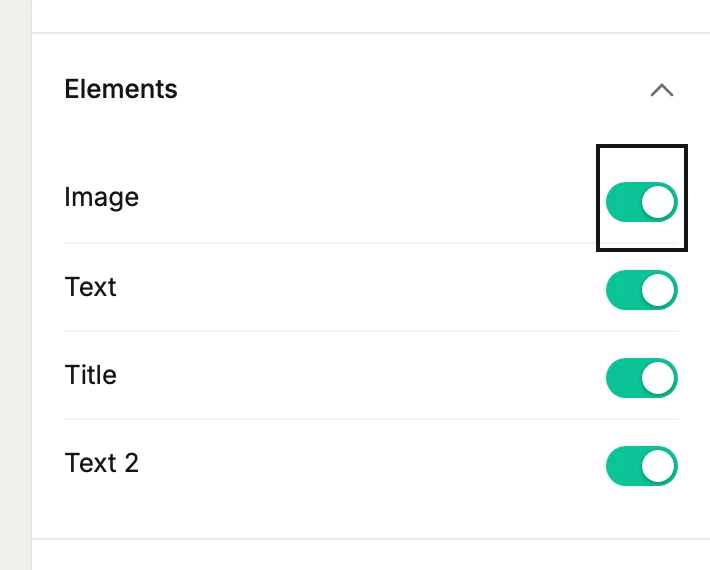
- Turn a switch off to hide that part. Its name dims, and the folded header counts it: Elements · 1 hidden.
- Turn the switch on to bring the part back, exactly as it was.
- Select a part’s name to jump to its settings. Selecting a hidden name shows it again and selects it.
Deleting a part in the email does the same as switching it off there too.
Next step
A different arrangement of the same words: Swap a layout.
More in this topic
Updated