

Resend an email to people who didn’t open it
Short answer
On a sent email’s results page, select Resend to them below the numbers, then check the subject and pick a time. Jounce sends it once more, two to 10 days after the first send, to everyone who still hasn’t opened it.
When you’re done, Jounce sends this email again, under a fresh subject line, to the people who haven’t opened it.
-
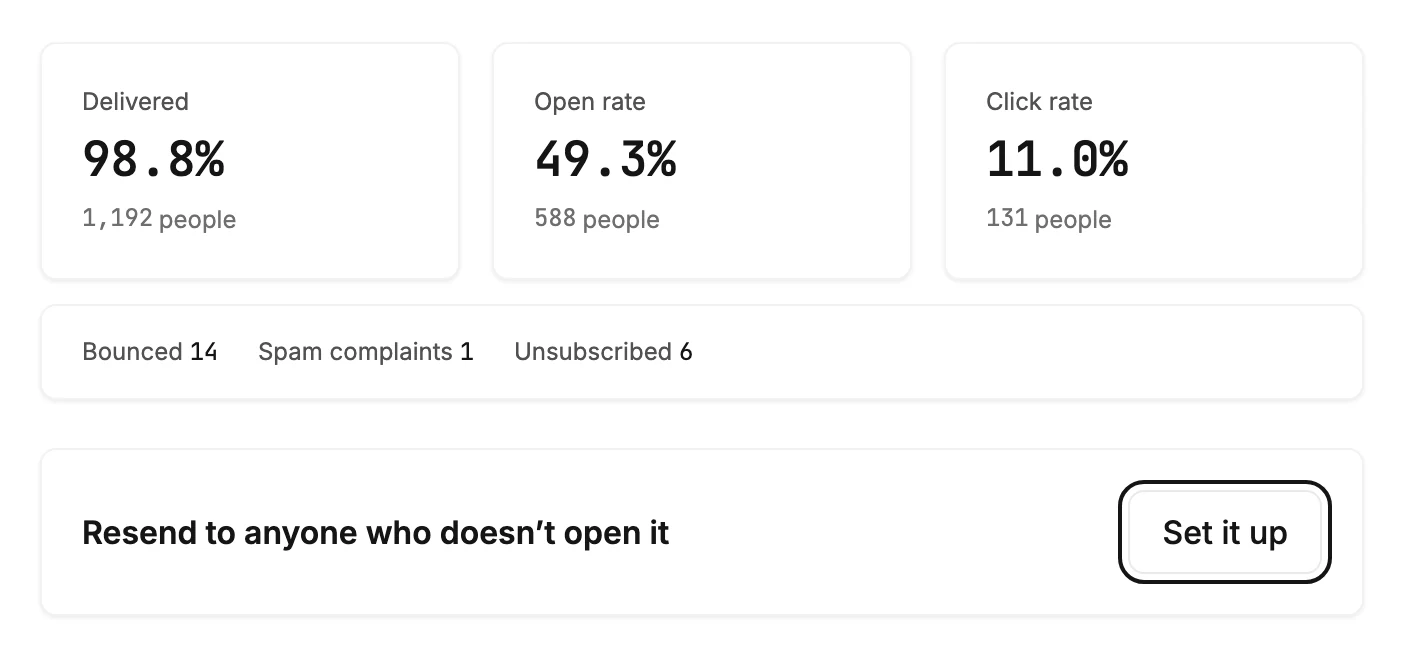
Open the email’s results page. Below the numbers, a card counts who hasn’t opened it yet. In the first two days after the send, opens are still coming in, so it reads Resend to anyone who doesn’t open it instead.
-
Select Resend to them, or Set it up in those first two days. The Resend this email dialog opens.
-
Check the Subject. If Jounce’s AI wrote your email, it holds a second subject line, with the first under First sent as. It can’t start with
Re:orFwd:.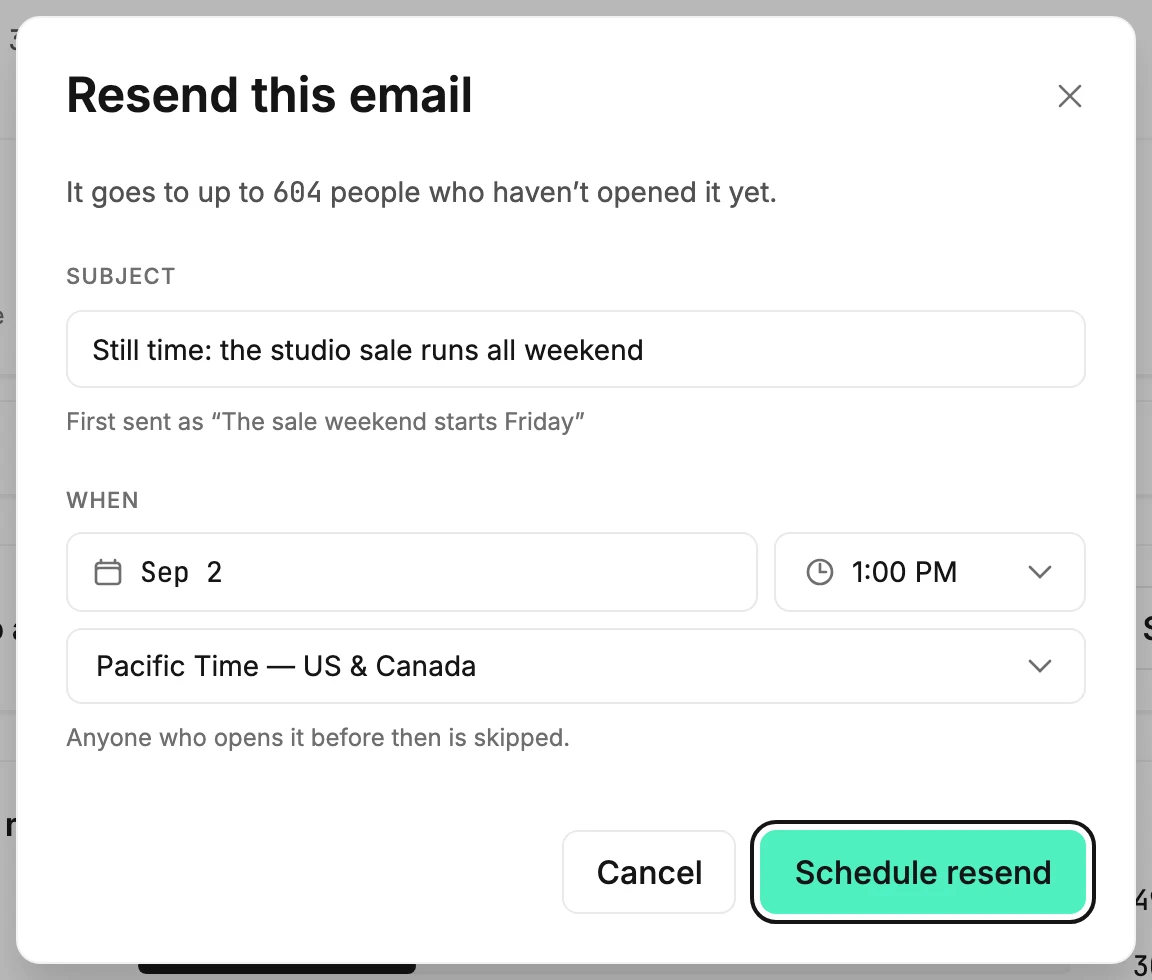
-
Under When, pick a day, time and time zone. Once two days have passed, Send now sits beside Schedule too.
-
Select Schedule resend, or Resend now. The card reads Resend scheduled with its time, or Sending.
Change on the card opens the dialog again. Cancel resend stops it, and so does deleting the email. Every state the card can show is in An email’s results page.
Who gets it
Everyone the first send reached who hasn’t opened or clicked it when the resend goes. Jounce leaves out:
- anyone who unsubscribed, bounced, or marked an email as spam since
- anyone the first send left out, or who joined your list after it
- people who have gone months on your list without opening or clicking
- readers whose mail app opened it on their behalf, which counts as an open. See How Jounce counts opens, clicks, and bounces.
When you can’t resend
- An email gets one resend, two to 10 days after the first send.
- An A/B test, a send in steps over more than one day, and a send that didn’t finish to everyone can’t be resent.
- Nor can a send that drew spam reports or bounces.
- Nor can one that fewer than 1 in 10 people opened, since a resend would likely land in spam too.
- Jounce won’t resend while your sending is at risk or paused, or if it was paused since the first send.
- Only Admins and Managers can set one up, like every send.
After it goes
The card shows how many it reached and its opens and clicks. The Open rate and Click rate at the top then count both sends. On the Emails tab of Results, the resend has a row of its own under Recent sends.
If it can’t go out, the card reads Resend didn’t go out and says why. One reason is that everyone it would reach has opened it or left your list. If a sending pause stopped it, the card has Contact us too.
Next step
To send a different email to people who didn’t open, see Branch on whether someone opened or clicked.
More in this topic
Also answered here
- why didn't my resend go out
- can I resend an email twice
- resend with a new subject line
Updated