

The Preferences page
Short answer
An editor on Settings › Opt-in setup for a page where subscribers could pick topics, edit their name, or unsubscribe. Your changes save, but no email or form links to this page, so nobody sees it.
Read this first. The editor works and saves, but no one ever sees the page it designs.
Your emails have an unsubscribe link. That link opens a plain Jounce page that asks Unsubscribe from these emails? with a Yes, unsubscribe button. Nothing in an email, a form, or a page sends a subscriber to your Preferences page. Time spent here changes a page no one sees.
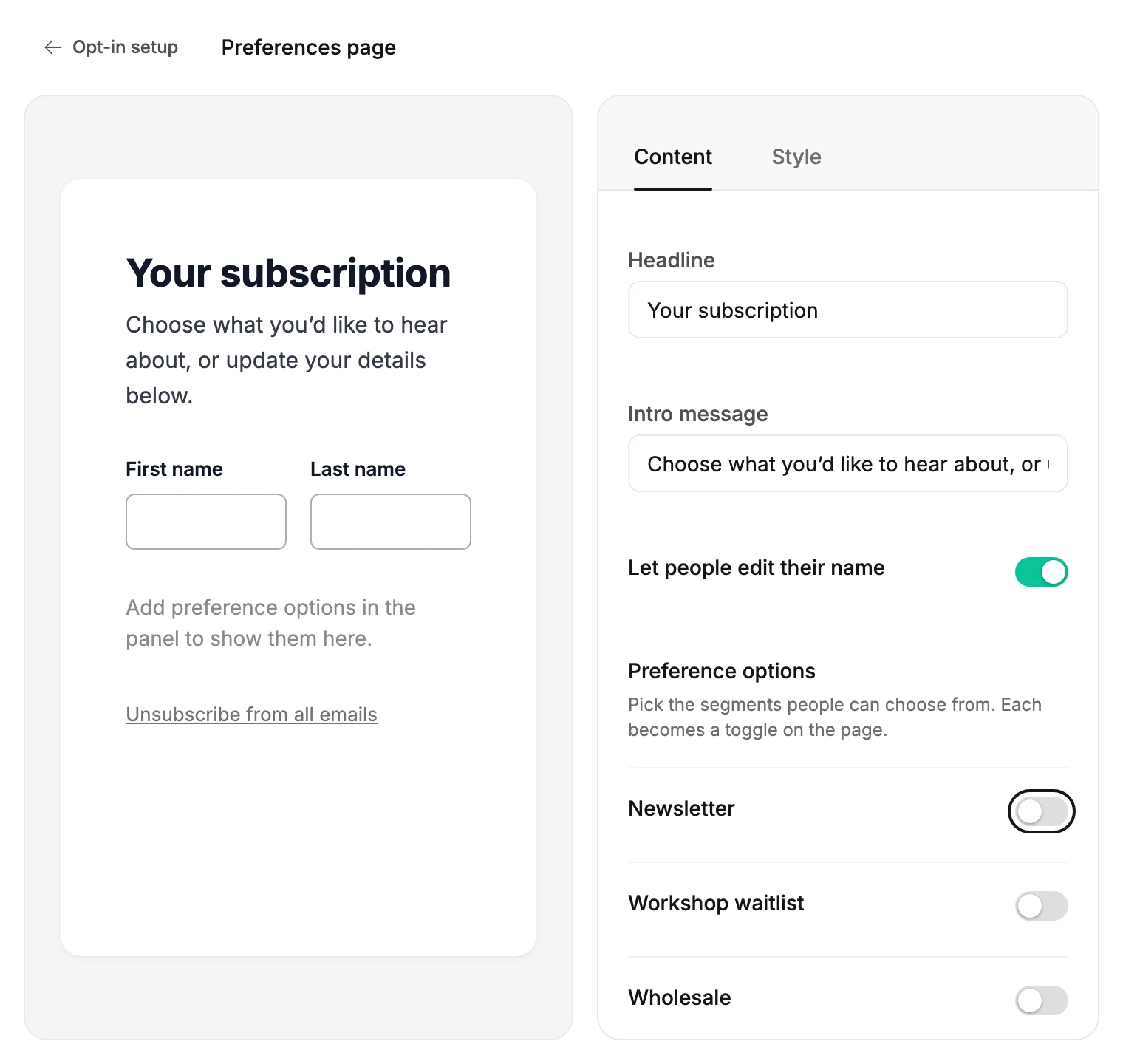
The rest of this article explains the editor as it is today, so what you find there makes sense.
Content
- Headline and Intro message. The defaults read Your subscription and Choose what you’d like to hear about, or update your details below.
- Let people edit their name puts First name and Last name boxes on the preview.
- Preference options: Pick the segments people can choose from. Each becomes a toggle on the page. Each segment in your audience has a switch. Turn one on and two more controls appear: a Label shown to subscribers and On by default. With no segments, the panel reads No segments yet. Create segments in Audiences, then offer them here.
- The preview always ends with the line Unsubscribe from all emails.
Style
Background, Canvas, and Text color.
Saving
Every change saves on its own, a moment after you stop. Nothing on the screen reads Saving… or Saved. If a save fails, Jounce says what to do, and a label at the bottom right of the preview reads Couldn’t save.
Once you change anything, the card on Opt-in setup reads Customised. If you delete a segment later, it drops out of the options the next time you open the editor.
More in this topic
Updated