

Why didn’t someone get my email?
Short answer
It’s usually their subscriber status. Open Audience, find the person, and their status label says what happened.
Your email went to everyone else it could reach. When one person missed it, their status is usually why.
Check their status
- Open Audience and find the person in the list.
- Look at the status label on their row. It’s one of five: Subscribed, Unconfirmed, Unsubscribed, Bounced, or Complained.
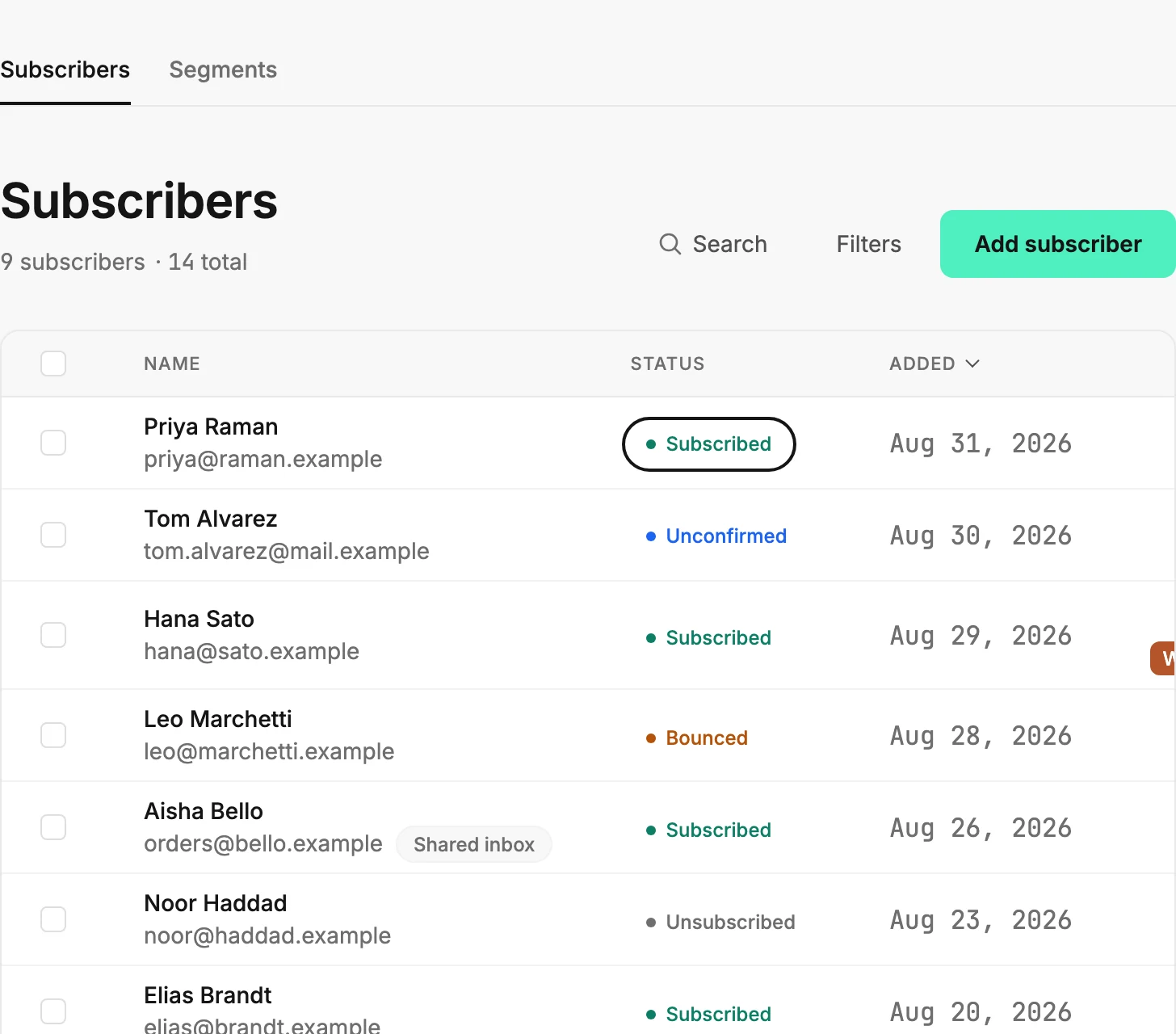
Jounce sends only to people marked Subscribed. Each of the other four means something specific happened, and each has its own fix.
What each status means
Unconfirmed — they signed up but haven’t clicked the confirmation link in their inbox. Jounce never sends to an unconfirmed address. From the menu on their row, choose Resend confirmation, or use the same button beside the label on their page. Once they click the link, they become Subscribed and get your next send. Only Managers and Admins see Resend confirmation.
Unsubscribed — they opted out of your emails. Jounce doesn’t send to them again. They can come back through one of your forms; see Coming back after an unsubscribe, a bounce, or a complaint.
Bounced — their mailbox rejected the email, often because the address is wrong or no longer exists. Jounce stops sending to that address to protect your sending reputation. If they give you a working address, open their page and choose Change beside their address.
Complained — they marked an earlier email from you as spam. Jounce stops sending to them.
If they’re Subscribed and still didn’t get it
Check their address for a typo on their page. Jounce skips an address whose domain can’t receive mail, and a typo after the @ can cause that. To fix one, choose Change beside their address.
Then ask them to look in their spam folder and, in Gmail, the Promotions tab. Why did my email land in spam or promotions? says what to do when it’s there.
Their page’s Activity card lists what they did with your emails: a click, a bounce, a spam complaint, an unsubscribe. An email that reached them but got no click leaves no line. So an empty card doesn’t mean it didn’t arrive. See Find out whether an email reached someone.
Note Jounce also skips a mailbox that has bounced for another sender on Jounce, and that person still shows as Subscribed. See Dead addresses.
More in this topic
Updated