

Start a form with AI
Short answer
Select Create form, then Start with AI, describe the form, and select Generate form. Jounce picks a design, writes the words, saves the form, and opens it in the editor for you to check.
When you’re done, a form Jounce drafted from your description is open in the editor. It’s saved on your Forms page as a draft, so nobody sees it until you publish it.
-
Open Forms and select Create form. Jounce asks How do you want to start?
-
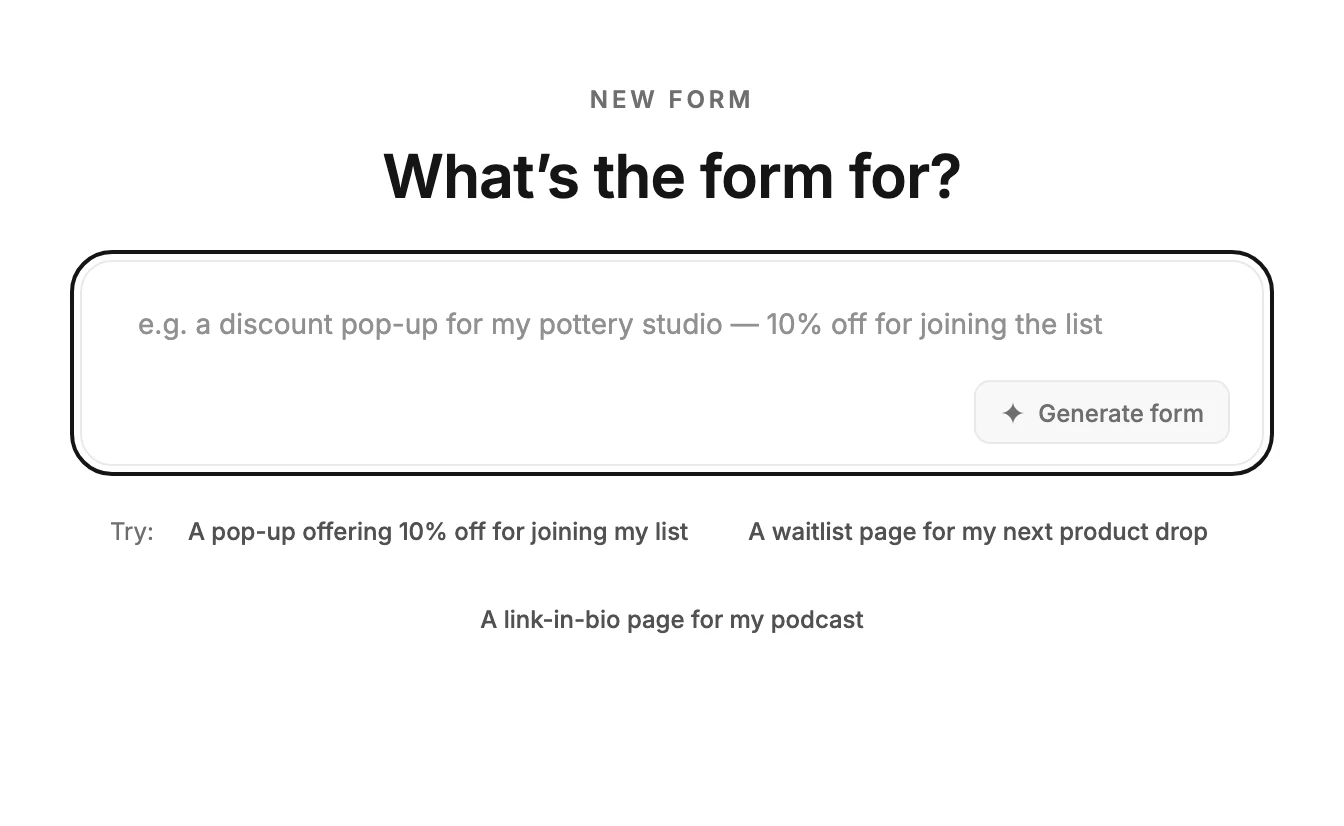
Select Start with AI. A page opens with one question, What’s the form for?, and a text box.
-
Describe the form in the box: what kind it is, what your business does, and what people get for signing up. The grey example in the box shows the shape. To try one, select a line after Try: and it fills the box. The examples fit the industry on your Brand profile.
-
Select Generate form, or press Enter. The box reads Reading your request., then Picking a design and drafting your copy.
-
The editor opens with your form. A message says Your draft is ready.
Note If you signed up with an email and a password, verify your email first. Until you do, Generate form opens a window titled Verify your email to use AI, and your description stays in the box. Open the link in your email, select Verify email if asked, then I’ve verified, then Generate form again.
Starting from Jo
You can also ask Jo, the chat behind the Help button, to make a form. Select Generate form on the card it shows, and this page opens with the description in the box. Jounce starts drafting at once, as in step 4.
If a draft is open and not saved yet, Jounce waits for you instead. A line above the box says generating replaces it.
Writing the description
Say the kind of form, who it’s for, and what they get. A pop-up offering 10% off for joining my list is enough.
Name the kind if you know it. A pop-up or an inline form goes on your website. A full page or a link-in-bio page lives at a link. See The four kinds of form. A counter under the box shows how much room is left as you type.
What Jounce does
Jounce picks one of the designs from the template gallery and writes its headings, text, and button in your words. It decides which fields to ask for: an email address always, and a name or other details only when the form needs them.
In the editor you can retype any of it, the button’s words included. See Edit the words, images, and buttons.
Or ask Jounce for the change. The editor opens with the Jounce AI chat open on the left, and your description is its first message. Jounce’s line under it reads Drafted from that. Ask for any change — anything I change, Undo takes back.
On a narrow window, the settings panel folds to its edge to make room.
The design wears your brand’s colors and fonts. The form takes a name from Jounce, and it’s what the Forms page shows. To change it, see Rename a form.
What Jounce leaves to you
Jounce writes the form whole, so where the design has room for a detail you didn’t give, it makes one up. That can be a number, a name, or a customer’s quote signed with a first name and last initial. These aren’t marked. Read the form and swap in your real details before you publish.
Jounce never fills in a web address. The photos are the design’s own, and a link-in-bio page’s links are empty until you add yours. Signups go to your audience; to also put them in a segment, see Send new subscribers to a segment.
If it doesn’t go through
Jounce shows one line saying what happened, and nothing is created. Your description stays in the box. When Jounce can’t make a form from it, the line reads Jounce couldn’t draft that form — nothing was created. Try describing it differently. Change the description and try again, or start from a template instead.
If the line is Jounce paused AI features for everyone for now, Jounce has paused its AI for every workspace, not only yours. Try again later; it’s back within a day. Until then, you can start from a template.
If the line is You’ve reached your AI limit for now, you’ve used all the AI you can for now. The line names when it opens again. Until then, you can start from a template.
Back, at the top left, returns you to the How do you want to start? screen. If you came from Jo, it returns you to the page you were on. Leave while Jounce is still drafting and nothing is made.
Next step
Check every line on the form, then see Publish your form.
More in this topic
Updated