

Ask people to confirm their subscription
Short answer
In the form’s Settings, the Consent switch Ask people to confirm their subscription (opt-in) starts on: signups stay Unconfirmed until they click the confirmation link. Off, they’re Subscribed as soon as they submit, except in a rush past the form’s limit.
When you’re done, you’ll know whether people join your list at once or after they click a confirmation link.
- Open Forms, select the form, and select Settings at the top right of the editor.
- Under Consent, find Ask people to confirm their subscription (opt-in).
- Leave it on to ask for confirmation, or switch it off to skip it. The change saves on its own a moment later.
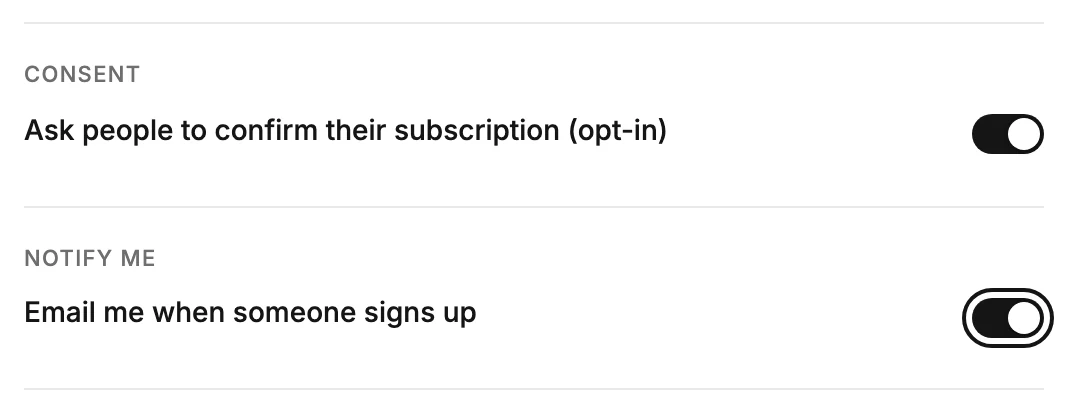
What each choice does
On. Someone who signs up appears in Audience as Unconfirmed. Jounce emails them a confirmation link, if the workspace owner has verified their email address. When they click it, they become Subscribed and your emails reach them. Until then, they get nothing else. See Subscriber statuses.
Note A live form can show a line under the switch: On here, not yet on the live form. While it shows, the live form still skips confirmation. Change any one setting other than Where subscribers go, and the live form asks people to confirm too.
Off. They’re Subscribed as soon as they submit. Jounce records when they sent the form, which form, and the internet address it came from, as their consent. Switching it off doesn’t change anyone already Unconfirmed. They still join when they click their link, and you can send it again from their row.
In a rush, the form asks anyway. Each form takes a set number of signups in ten minutes. Past that number, or when many signups come from one connection, they arrive Unconfirmed even with the switch off, and get the confirmation email a little later.
Either way, someone already Subscribed stays as they are. Jounce never asks them to confirm again. If you deleted them, though, signing up with the switch on brings them back Unconfirmed, and Jounce sends the confirmation email.
Someone who unsubscribed and fills in the form again gets a confirmation email, whether the switch is on or off. Jounce holds the email back if one went out a short while ago, or if they’ve already had several. They’re back on your list when they click it.
The confirmation email
The email and the page it lands on belong to the whole workspace, not to one form. Find them on the Opt-in setup page under Settings; see The Opt-in setup page. To send the link again to one person, see Resend a confirmation email.
The consent checkbox on a form is not the same thing. It records a tick, and never sends a confirmation email. See The consent checkbox.
Next step
The email is automatic and wears your brand, see The confirmation email. Make the page after it yours: Edit the thank-you page.
More in this topic
Updated