

Add a pop-up or inline form to your website
Short answer
Publish the form, select Copy code in Share, and paste the code into your site. A pop-up’s code goes before the closing body tag of each page; an inline form’s code goes where the form should sit.
When you’re done, your form is on your own website. A pop-up shows over the page. An inline form sits in the page itself.
This is for a pop-up or an inline form. If Share shows Your link instead of code, your form is a full page or a link-in-bio page. Those aren’t embedded; put their link on a button or in your bio instead. See Share your page’s link.
You need to edit your site’s HTML, or hand the code to whoever looks after the site.
Most website builders keep a place for custom code. On Squarespace it’s a Code block, or Code Injection for every page. On WordPress it’s a Custom HTML block. On Wix it’s an Embed HTML element, under Embed Code. Each builder’s own help says which of its plans allow it.
If an AI tool builds your site, there’s a shortcut; see Install your form with an AI site builder.
- Open Forms and select the form. The editor opens.
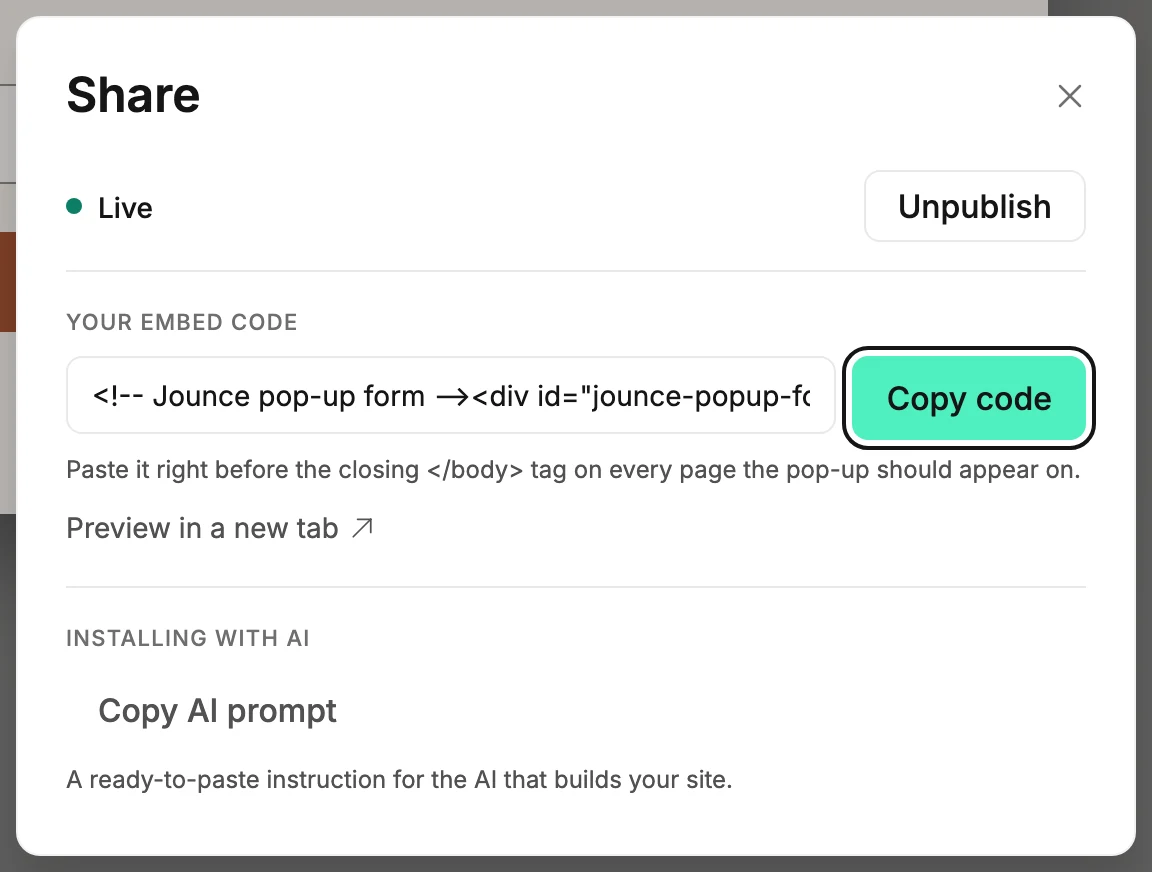
- Select Share at the top right. If the form is a draft, select Publish form first; the code turns on when the form is live.
- Under Your embed code, select Copy code. The button reads Copied for a moment.
- Paste the code into your site. A pop-up’s code goes right before the
closing
</body>tag on every page the pop-up should appear on. An inline form’s code goes in the page content, where the form should sit. - Open the page to check. For a pop-up, use a private window. Your own browser remembers a pop-up you closed or signed up through.
What to expect
- The code begins with a line that names it: Jounce pop-up form or Jounce inline form. Whoever looks after your site can find it by that.
- An inline form sizes itself to fit its content. A pop-up appears at the moment you picked under When it shows in the form’s Settings. See Choose when a pop-up shows.
- Edits you make in the editor reach the form on your site on their own, a few seconds after each save. You don’t paste the code again. The one exception is a pop-up’s timing, which lives in the code itself.
- The same code can go on as many pages as you like.
Note Once someone signs up through a pop-up, it never shows again in that browser. If you can’t see your own pop-up, that is usually why. See Why isn’t my pop-up showing?.
Next step
See it work end to end: Test your form.
More in this topic
Updated