

The Percentage split step
Short answer
A Percentage split sends each subscriber down one of its branches at random, in the shares you set. Two branches start at 50% each, you can add up to eight, and the shares must add up to 100%.
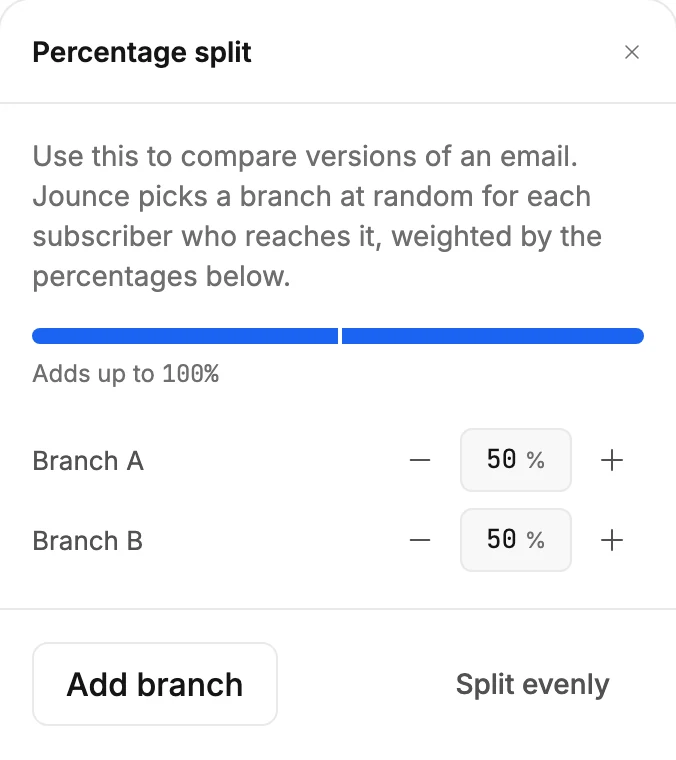
A Percentage split hands each subscriber to one of its branches at random. Select the card and the panel reads Percentage split. Its first line says what it’s for: Use this to compare versions of an email. Jounce picks a branch at random for each subscriber who reaches it, weighted by the percentages below.
The shares
A bar shows the branches side by side, and the line under it keeps the sum: Adds up to 100%. Each branch has a row, Branch A, Branch B, and so on, with its share as a number from 1 to 99. Type a number, or use the − and + beside it.
When the numbers drift, the line says what to fix. Short of 100% it reads Adds up to 90% — assign the other 10%. Over it, Adds up to 110% — trim 10%. Split evenly shares 100% across every branch in one move.
Adding and deleting branches
Add branch adds the next letter. The branch takes half of the largest share, so the sum stays at 100%. When there are eight branches, the button gives way to a line: A split can have up to 8 branches.
With more than two branches, an × appears beside each row. An empty branch goes at once.
A branch with steps inside it asks first: Delete Branch C? The window counts them. “Branch C” and the 2 steps inside it will be removed from this automation. Keep it closes the window and changes nothing. Delete branch removes them. The deleted branch’s share goes to the largest branch left.
The card
The card reads Split subscribers 50% / 50%. Below it, each branch has a label with its letter and share, A · 50%. Add steps to each branch. A subscriber lands in one branch and stays on that path; branches never join back. See How steps connect.
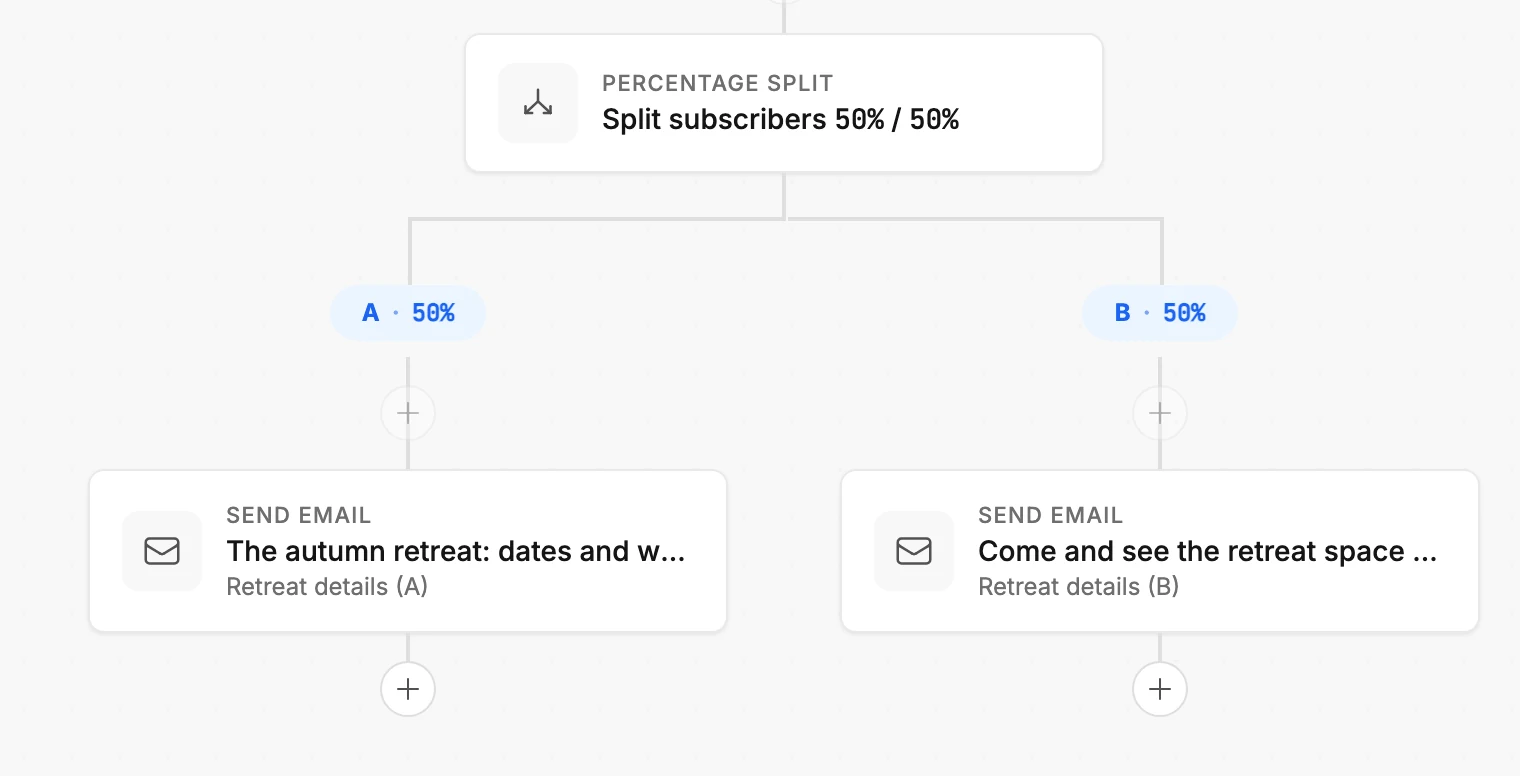
To compare two emails, put a different Send email step in each branch and compare their results.
Before you launch
The shares must add up to 100%, or Launch waits. The card reads Split percentages must add up to 100% or Every branch needs at least 1% of subscribers.
More in this topic
Updated