

The Add a step menu
Short answer
Select any + on the canvas and the Add a step menu opens with the kinds of step you can add there. The new card appears where the + was, and its panel opens on the right.
Where the + is
A + sits on the line between every two cards, faint until you point at it. There’s one below the last card of each path, too, unless that card is Exit automation, which ends the path. An empty branch has one at the top, under its label. Select one and the menu opens beside it.
The menu is the same size at any zoom; see Zoom and move around your steps.
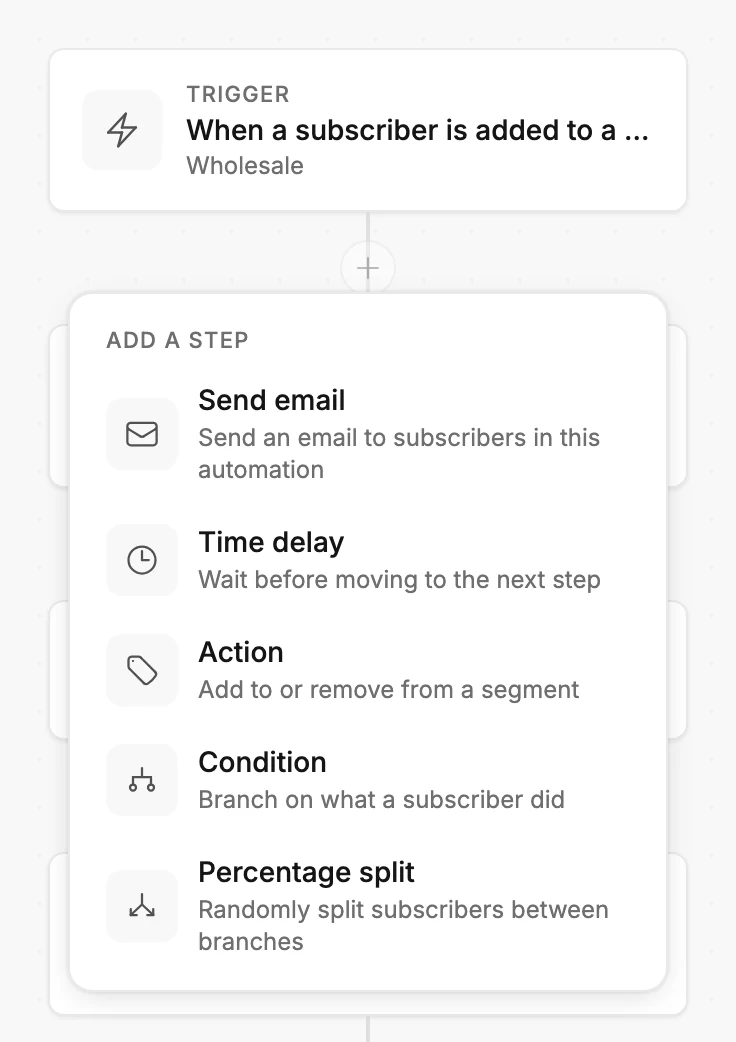
The rows
| Row | What it does |
|---|---|
| Send email | Send an email to subscribers in this automation |
| Time delay | Wait before moving to the next step |
| Action | Add to or remove from a segment |
| Condition | Branch on what a subscriber did |
| Percentage split | Randomly split subscribers between branches |
| Exit automation | Subscribers leave the automation here |
Exit automation appears only in the menu at the end of a path. It can’t sit between two steps, because nothing runs after it.
Each step has its own article on what its panel asks for:
- The Send email step
- The Time delay step
- The Condition step
- The Action step
- The Percentage split step
What happens next
The new card appears where the + was, and its panel opens on the right so you can set it up. An Exit automation card has no panel.
Add a Condition or a Percentage split between two cards and the steps below it move into its first branch. See How steps connect.
Keyboard
Tab to a + and press Enter or the space bar. The menu opens beside it.
The arrow keys move between rows, and Enter or the space bar picks one. The new step’s panel opens, and your next Tab lands inside it. Exit automation has no panel, so you stay on the +. Esc closes the menu without adding anything and returns you to the +.
When the + is missing
On a live automation, Editors don’t see the + on the lines or the trash icon on the cards. See Why can’t I change the steps of my automation?
More in this topic
Updated