

Why does my new automation have red warnings on its steps?
Short answer
A template or an AI draft leaves the choices only you can make, and each marked step names its own. Nothing is broken: select the step and pick the form, segment, email, or date it asks for.
The marks are the parts a template or a draft can’t choose for you. Your automation is a Draft: nobody is in it, and nothing sends until you launch.
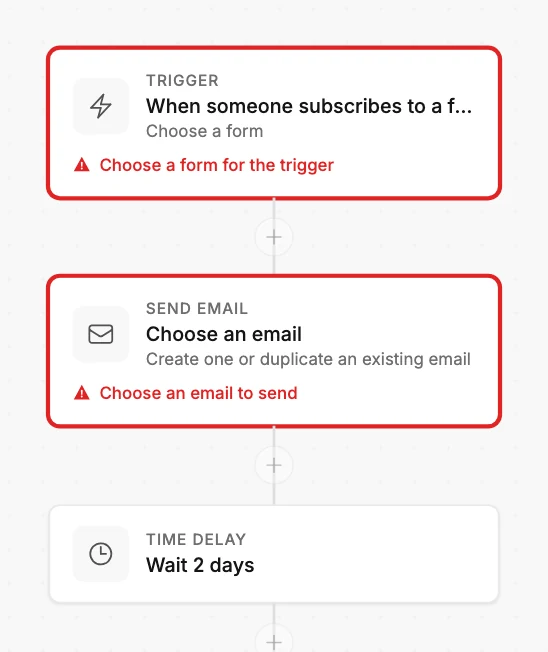
A template knows the order of the steps and the waits between them. A draft from your description knows what you told it. Neither can see your forms, your segments, or your email designs. So each step that needs one carries a red line saying what to pick:
| The step says | Pick |
|---|---|
| Choose a form for the trigger | The form whose new subscribers start it |
| Choose a segment for the trigger | The segment people join to start it |
| Choose an email to send | An email for the step: create one, or duplicate one |
| Pick a date for the delay | The date the step waits for, such as your event |
| Choose a segment for the action | The segment the step adds people to or removes them from |
Select a marked step. Its panel opens on the right, and the choice it needs is there. The mark clears as soon as you pick. Work down the list until none are left.
A draft from your description marks a step when a name didn’t match. Jounce fills a segment or form only when you spell its name the way it appears in Jounce. Any other wording leaves the step for you, so Jounce never guesses and picks the wrong people.
Launch waits until every mark is gone. Select it early and Jounce names the first thing to fix, and how many more remain.
More in this topic
Updated