

The Settings pages
Short answer
All settings, in the account menu, opens Settings: a list of pages in four groups, Personal, Sending, Brand, and Workspace.
Select your avatar at the top right and choose All settings. A list on the left shows every settings page in four groups. In a narrow window the list sits above the page instead.
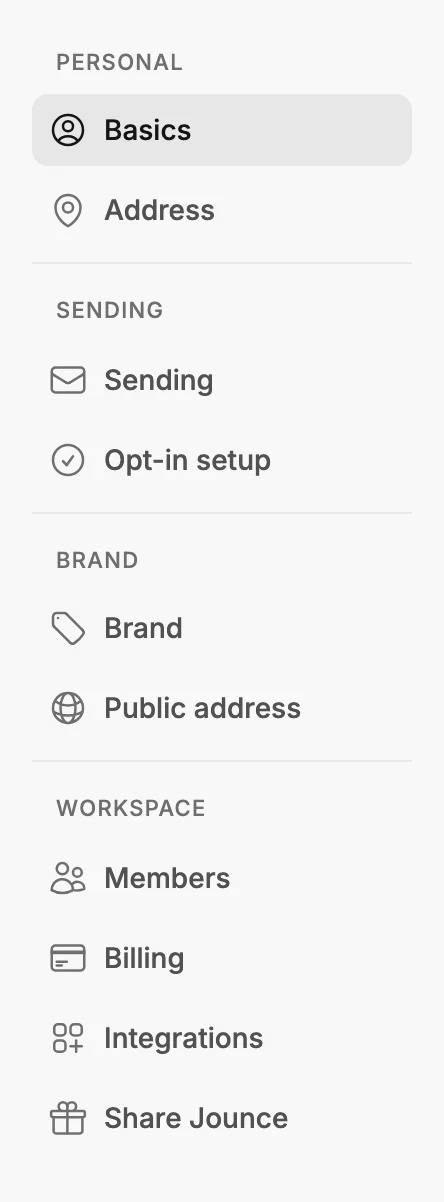
Personal
- Basics — your profile photo, first and last name, the owner’s email, and time zone. See The Basics page.
- Address — your mailing address. Jounce has to ask for it, and it appears in the footer of your emails. The same page sets the line at the foot of your full pages and link-in-bio pages. See The Address page.
- Emails from Jounce — which of Jounce’s own emails you get, by kind. See The Emails from Jounce page.
Sending
- Sending — the name and address your subscribers see, and the domain behind them. Your email and your own sending domain both live here, and so does verifying your email. See Verify your email.
- Opt-in setup — asks new subscribers to confirm by email before they join your audience. It holds the confirmation email, the page they land on, and the preferences page.
Brand
- Brand — your colors, fonts, logo, voice, and social links. Start from your website fills in the colors, fonts, and voice from your site. See The Brand page, and for the social links, The Social links card.
- Public address — your handle, the address for everything you publish: your forms and bio pages. See The Public address page.
Workspace
- Members — who works in this workspace, what they can do, and who owns it, plus the workspace’s name and icon.
- Billing — your plan and payment details. See The Billing page; to change either, see Change your plan or payment details.
- Integrations — connects Jounce to the other tools you use: Claude, ChatGPT and Gemini, the developer API, and connected apps.
- Share Jounce — your link to pass along to someone who’d get value from Jounce. See The Share Jounce page and Share your Jounce link.
More in this topic
Updated