

Get help from a person at Jounce
Short answer
Ask Jo for a person in the chat (Help, then Chat with Jo), or email hello@jounce.com directly. Either way, a person at Jounce writes back by email.
There are two ways to reach a person: ask Jo for one in the chat, or email hello@jounce.com directly. There is no phone line or contact form. Jo, the chat behind the Help button, answers from this help center and isn’t a person. When Jo can’t help, it hands you to the team by email, with your question already written.
-
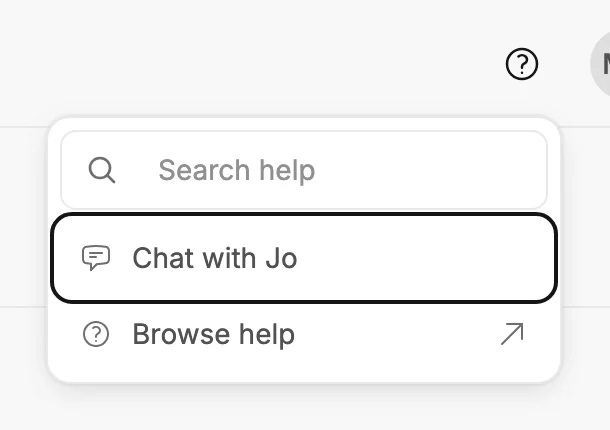
Open the chat. Select Help, the question mark at the top right, then Chat with Jo. Already reading the help center? Select Ask Jo at the top right, or at the bottom of any page under Still stuck? When a help search finds no article, select Ask Jo about under it; Jo opens with your question already typed, ready to send.
-
Ask for a person, or ask your question. If you ask for a person first, Jo asks what the problem is, since it might fix it right away.
-
Jo answers, then asks: Do you have another question, or would you like to talk to a person? Say yes.
-
Jo replies Email the team and a person at Jounce writes back., with Email the team under it. Select it.
-
A new email to hello@jounce.com opens in your mail app, headed Help with Jounce. Your question, Jo’s answer, and any articles Jo pointed you to are already in it.
-
Add your workspace’s name and what you saw, then send it from the address you sign in with.
Jo goes straight to step 4 when it has already answered a question of yours, or when you ask for a person a second time. If a message to Jo doesn’t go through, Email the team shows under that line too.
If an answer doesn’t help, select This didn’t help under it. Jo says sorry and shows Email the team, with that question and answer already in the email.
If Jo answers Jounce paused AI features for everyone for now, the chat is paused for every workspace, not only yours, and it’s back within a day. To reach a person meanwhile, select Email the team, or write to hello@jounce.com.
Nothing in your workspace changes while you wait; your emails, forms, automations, and subscribers stay as they are.
Note Jounce keeps the questions you ask Jo for 30 days to make the help better. What it keeps, and who reads it, is in How Jo uses your messages.
Email the team directly
Write to hello@jounce.com from any mail app, any time; you don’t need the chat first. The same address is on the Billing page: All settings, then Billing.
Not signed in? The help center shows Email the team at the top right and under Still stuck? at the bottom of every page. It opens the same email to hello@jounce.com. On a phone, the top-right one is an envelope icon.
What to include
- Your workspace’s name. It’s on the row under your name in the account menu.
- The address you sign in with, if you write from a different one.
- What you were doing, what you expected, and what you saw instead.
- The page you were on, and a link to the email or form if the question is about one.
- The exact words of any message Jounce showed. A screenshot helps too.
Questions that already have a place to go
- Plan, payment, and invoice questions go to the same address; see Change your plan or payment details.
- To end a sending pause, write to the same address. If bounces or spam complaints caused the pause, stop their source first; see Get sending again after a pause.
Next step
Your reply arrives in your mail app. If you were closing your account, see Close your Jounce account.
More in this topic
Updated