

The Pending invites list
Short answer
Under the member list on the Members page, admins see every invite that hasn’t been accepted, with its role, its expiry date, and three buttons: Resend, Copy link, and Revoke.
Select your avatar, choose All settings, then Members. The list sits under the member list and only appears when you’re an admin and at least one invite is waiting. The count beside the heading is the number of rows.
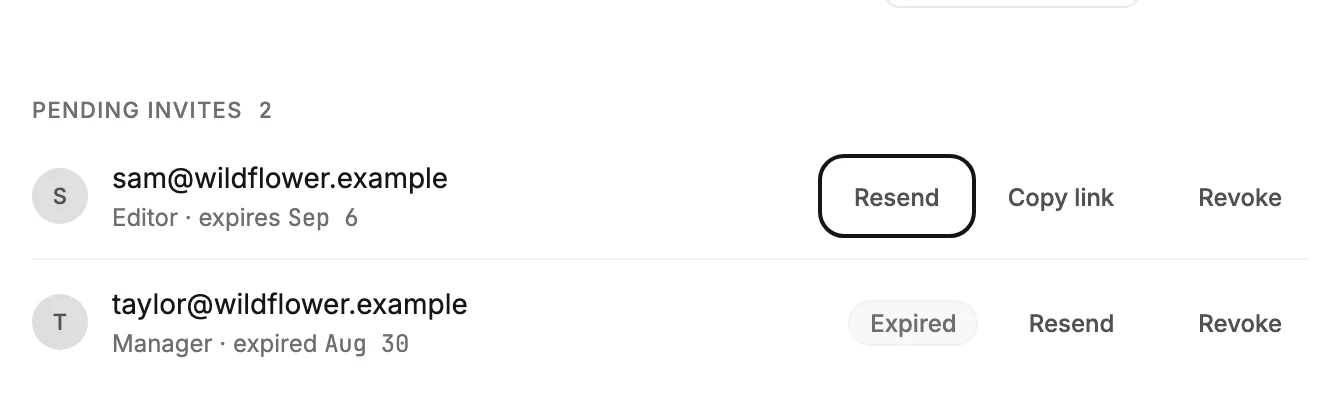
A row
Each row is one person who hasn’t joined yet: their email address, the role you picked, and the date the link stops working. A live row reads expires ⟨date⟩. Once the date passes, the row reads expired ⟨date⟩ and shows an Expired badge. An expired row stays in the list until you resend or revoke it.
When someone joins, their row leaves this list and appears in the member list.
Resend
Sends a fresh email with a fresh link and a fresh seven days. The old link stops working the moment you resend. Jounce says Invite resent to ⟨address⟩.
Copy link
Copies the invite link so you can send it yourself, in a chat or a text. The button reads Copied for a moment. It’s the way through when Jounce can’t email the address. An expired row has no Copy link, because that link no longer opens.
Revoke
Kills the link. Jounce says The invite to ⟨address⟩ was revoked, and offers Undo, which sends a fresh invite to the same address with the same role. A revoked link says That invite was revoked to whoever opens it.
If the list didn’t load
Jounce says Pending invites didn’t load — the member list above is up to date. Reload the page to try again.
More in this topic
Updated