

The Activity list
Short answer
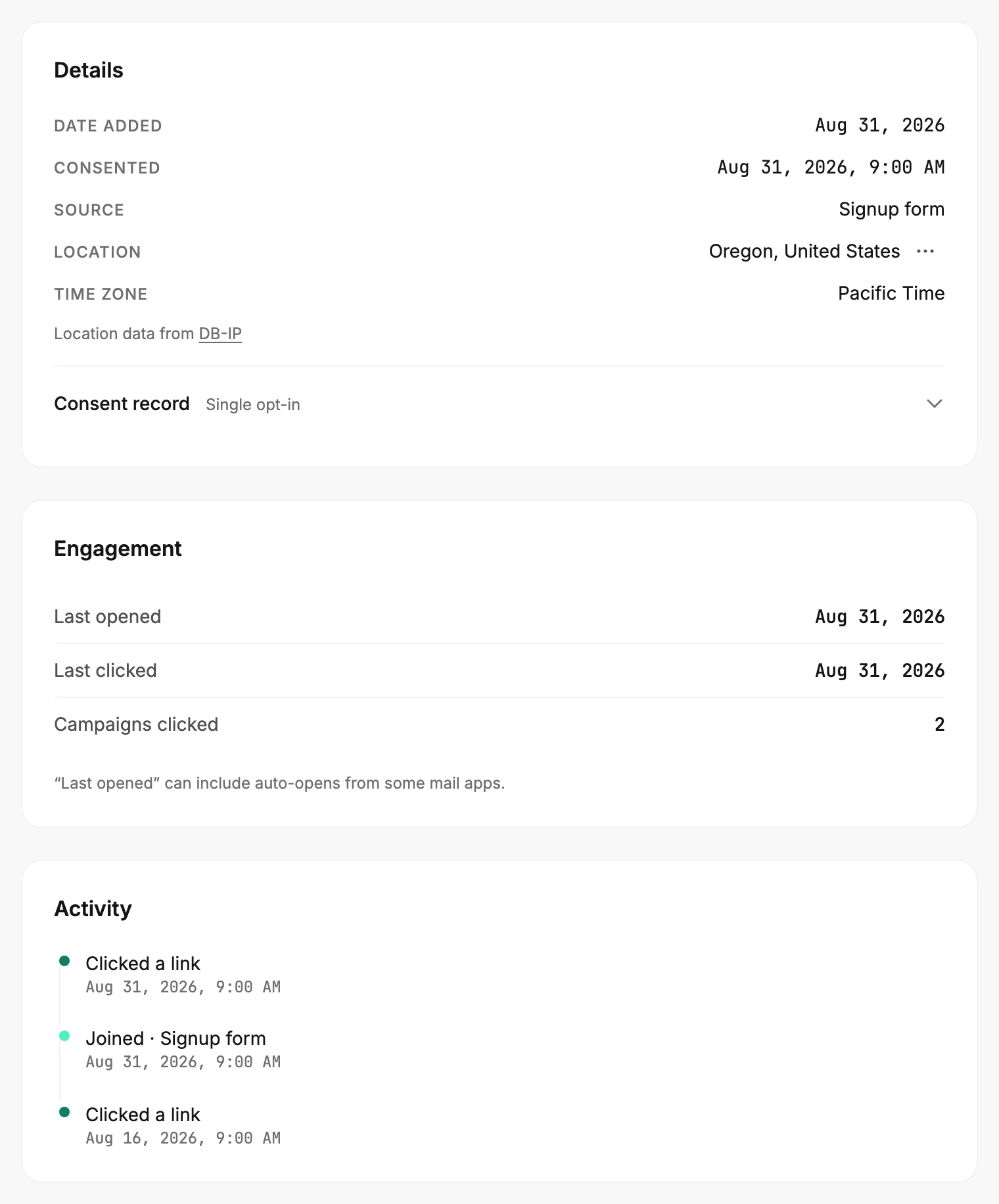
The Activity list on a subscriber’s page is their history with you, newest first. It shows when they joined and how, each email they clicked, and any bounce, spam complaint, unsubscribe, or address change.
Activity is the last card on the right of a subscriber’s page. Each line is one thing that happened, with its date and time, newest at the top.
The lines
| Line | What happened |
|---|---|
| Joined · Signup form | The day they joined your list, and how. The second part is their source: Added manually, CSV import, Signup form, or API. Without a known source, the line reads just Joined. Every page has this line. |
| confirmed | They clicked the confirmation link in a double opt-in email. |
| Clicked a link | They clicked a link in one of your emails. One line per email, dated by the first click. The line doesn’t name the email or the link; go by the date. |
| Email bounced | Their mailbox rejected an email, and Jounce stopped sending to the address. |
| Marked as spam | They marked one of your emails as spam. Jounce stopped sending to them. |
| Unsubscribed | They unsubscribed. |
| Email address changed | Someone in your workspace changed their address. This list carried over from the old address. |
The status label at the top of the page shows where they stand. These lines are the history. So a bounce or an unsubscribe stays listed after they come back through one of your forms. It stays after you change the address that bounced, too. Subscriber statuses says what each status means for your sends.
What isn’t listed
Opens don’t get a line. Some mail apps open every email for the reader, so a list of opens would be mostly noise. The Engagement card above keeps the most recent one as Last opened, with that caveat. Deliveries get no line either. An email that reached them with no click leaves no line.
No page lists the people who clicked one particular email. You can find everyone who clicked anything lately. Open Audience and select Filter, then Add filter and Last clicked. Set In the last and a number of days, then select Apply. The list narrows to those people. The filter types describes the rest.
Want to know whether a person still reads your emails? How Jounce measures activity explains what counts.
More in this topic
Updated