

Delete subscribers
Short answer
Choose Delete subscriber from the menu at the end of a person’s row, or tick several people and select Delete subscribers. They leave your list and stop getting your emails.
When you’re done, the person is gone from your list and your next email doesn’t reach them.
One person
- Open Audience and find them in the list.
- Select the three dots at the end of their row, then Delete subscriber. The dialog asks Delete ⟨name⟩? and says they’ll be removed from your list and won’t receive sends.
- Select Delete subscriber. Keep it closes the dialog and changes nothing.
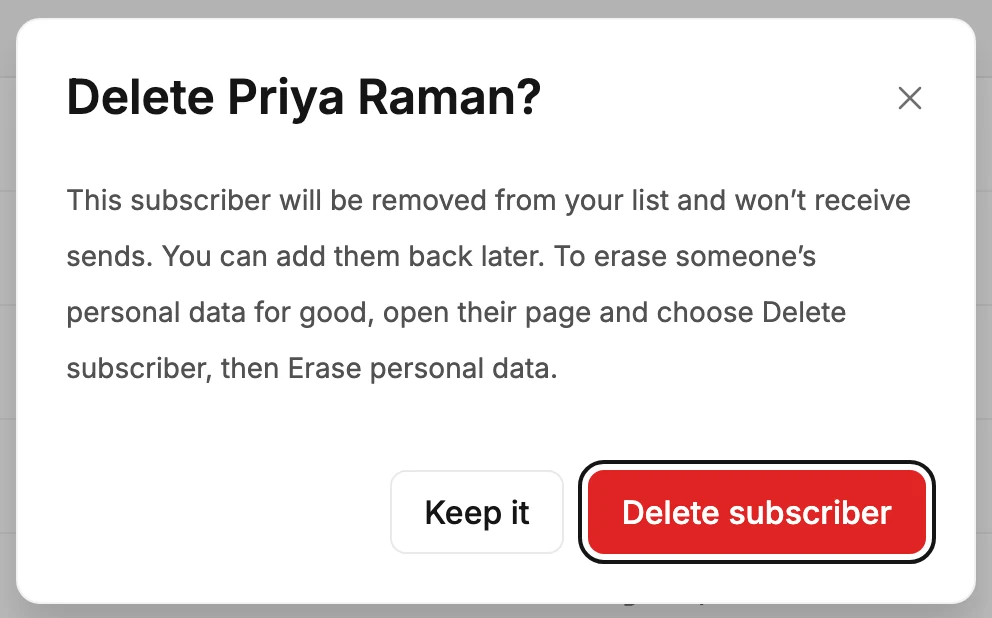
Their page has the same Delete subscriber button, at the right under their name. There, the dialog asks how to delete. Delete subscriber is already picked and works the same as deleting from the list. Erase personal data removes everything for good.
Several at once
Tick the box at the start of each row, then select Delete subscribers in the toolbar above the list. The dialog counts them. Select Delete subscribers again to confirm, or Keep them to back out.
The box in the header row ticks only the page you’re looking at, never your whole list. See Select several subscribers.
What deleting does
- They leave the list, and each of their segments counts one fewer.
- Jounce stops sending to them.
- There’s no undo button. They’re hidden, not erased. Add the same address again, and that person comes back with their segments and activity. Someone who was Subscribed and signs up again through a form that asks people to confirm comes back Unconfirmed. They stay that way until they click the confirmation email. If you import them again from a CSV file, they come back only if you choose Update their details and keep their history. Skip them leaves them deleted.
To remove everything Jounce holds about someone, open their page. Select Delete subscriber, then pick Erase personal data. Use it when a person asks you to remove their data for good.
If deleting fails, Jounce says Your list is unchanged and you can try again. Only Managers and Admins can delete subscribers. See Why can’t I delete a subscriber?.
Next step
For a person who asks you to remove their data for good: Erase a subscriber’s personal data.
More in this topic
Updated