

Where a subscriber’s location comes from
Short answer
Jounce estimates each person’s region, country, and time zone from their internet connection and shows them on their page. The region and time zone are a best guess; Clear location removes a wrong estimate for good.
Jounce works out roughly where each subscriber is: their region and country, and the time zone they live in. It’s an estimate, made from the internet connection they used. It never records a city.
Where it shows
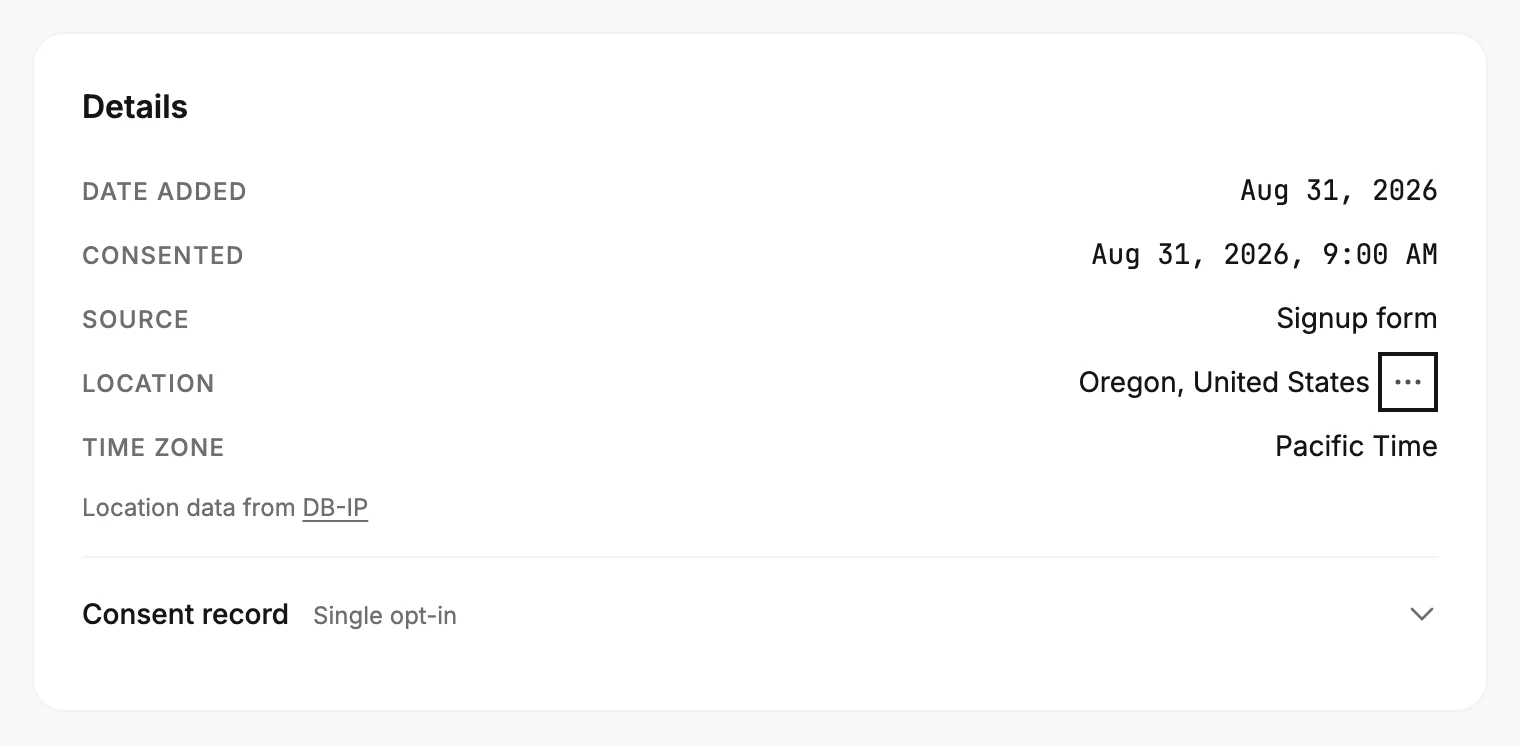
Open Audience and select the person. Under Details on the right, Location reads like Oregon, United States or Singapore, and Time zone reads like Pacific Time. A dash means Jounce doesn’t know yet, or the location was cleared.
The line under the rows, Location data from DB-IP, names the database the estimate comes from. It shows only when the estimate came from an internet address.
The same estimate does three more jobs. The Location filter finds everyone in a place; see The filter types. An export carries Location and Time zone columns; see Export subscribers. And Subscribers by location on Analytics counts the people you can email in each country; see The Subscribers tab. It never appears inside an email.
The sources
Jounce keeps the best evidence it has. A weaker source never overwrites a stronger one, and a newer reading from the same kind of source replaces an older one.
- Their browser, when they sign up through one of your forms. It reports their time zone exactly. It says nothing about the place.
- The connection they signed up or confirmed from. That is the internet address behind the form, or behind their click on the confirmation email. It gives the country, the region, and the time zone.
- The signup or confirmation address in a file you imported. When your old tool’s export carried one, Jounce uses it. An old address can belong to someone else by the time it’s read, so later clicks can replace what it said.
- Links they click in your emails. One click proves little: it might be a phone on a trip or a link checker. Jounce waits for a second click, hours or days later, that agrees with the first.
An address that belongs to a cloud or hosting service, a VPN, or a mail service’s link scanner is skipped, whichever source it came from. Someone you added by hand or through the developer API has no signup address, so their location fills in from clicks over time.
How far to trust it
- The country is usually right.
- The region shows only where it’s reliable: the United States, the United Kingdom, Canada, Australia, Belgium, and Brazil. Everywhere else, Jounce shows the country alone.
- The time zone follows the place, so it’s an estimate too. A zone their browser reported at signup is exact.
- Someone who signed up while travelling can read as the place they were visiting.
Clear a location
When an estimate is wrong, clear it. There is no way to type one in.
- Open the person’s page. Under Details, select the three dots at the end of the Location row.
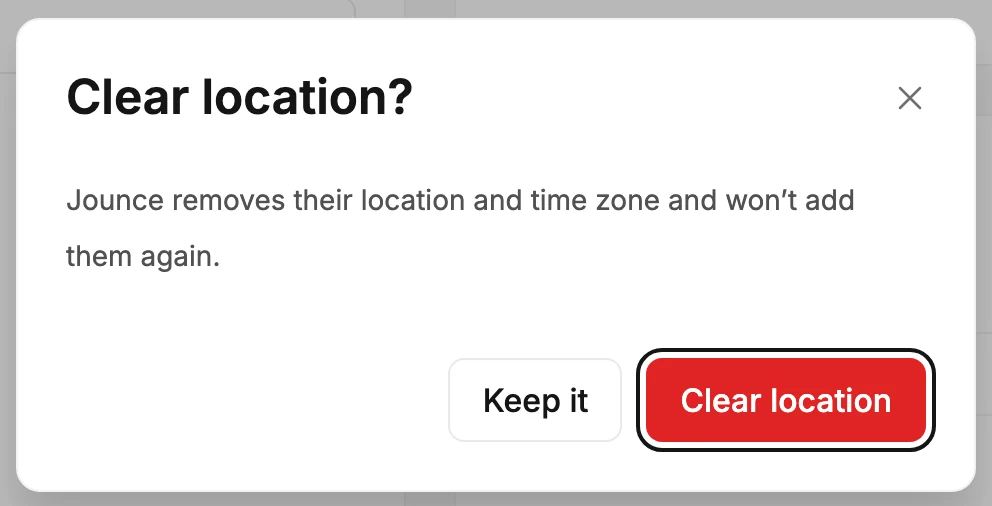
- Choose Clear location. The Clear location? dialog reads Jounce removes their location and time zone and won’t add them again.
- Select Clear location. Both rows show a dash, and the line under them reads Location cleared. Jounce won’t add it again.
Keep it closes the dialog and changes nothing. Any member can clear a location.
Careful There’s no undo, and nothing fills it in again: not a signup, not a click, not a file, not a change of address. It stays empty for good.
Clearing a location changes nothing else about the person. Erasing their personal data removes the location along with everything else; see Erase a subscriber’s personal data.
What Jounce keeps
Jounce stores the region, the country, the time zone, and where each came from. It keeps no city and no map point. The internet address itself stays where it always was, in the consent record, and clicks never add one; see The consent record.
The estimate comes from DB-IP’s free database, which asks to be credited. That is the Location data from DB-IP link on a subscriber’s page.
More in this topic
Updated