

The Segments page
Short answer
Open Audience and select the Segments tab to see each segment as a card with its count. Create segment sits at the top, and the three dots on a card rename, recolor, or delete it.
Audience in the top bar opens your subscribers. Select the Segments tab beside Subscribers to see your segments, one card each.
The count under the title
The number under Segments is how many segments you have. The All subscribers card is your whole list and isn’t counted.
Search and Create segment
Search matches any part of a segment’s name. When nothing matches, the page says No segments match and offers Clear search. The search box appears once you have a segment.
Create segment opens the Create a segment dialog. See Create a segment.
Suggested
Under Suggested, three cards offer a segment each: Most engaged, Engaged, and Gone quiet. Selecting one counts who matches and opens Save as segment. The cards show while your list has people in it and the search box is empty. The engagement presets explains what each one finds.
The cards
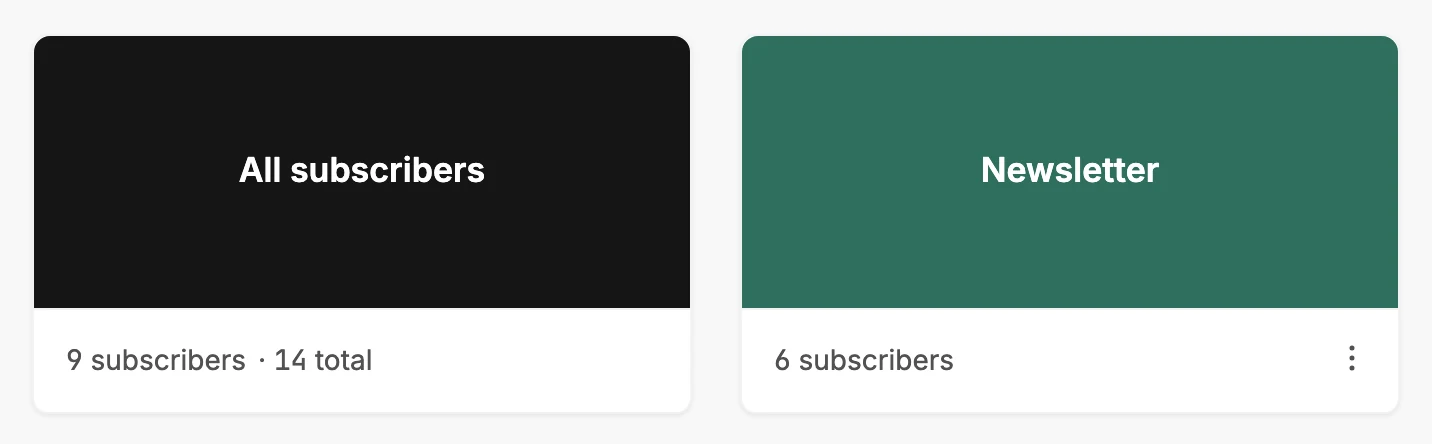
The first card is All subscribers, your whole list. Its line counts the people Jounce can send to, then the total. Select it to open the Subscribers page.
Every other card is one of your segments, with its name on the colored face. The line under it counts the people in the segment who are marked Subscribed. Select the card to open the Subscribers page with the Segment menu set to it.
Cards sit in the order you made them, oldest first. A segment you create appears at the end.
The menu on a card
The three dots at the corner of a card open its actions.
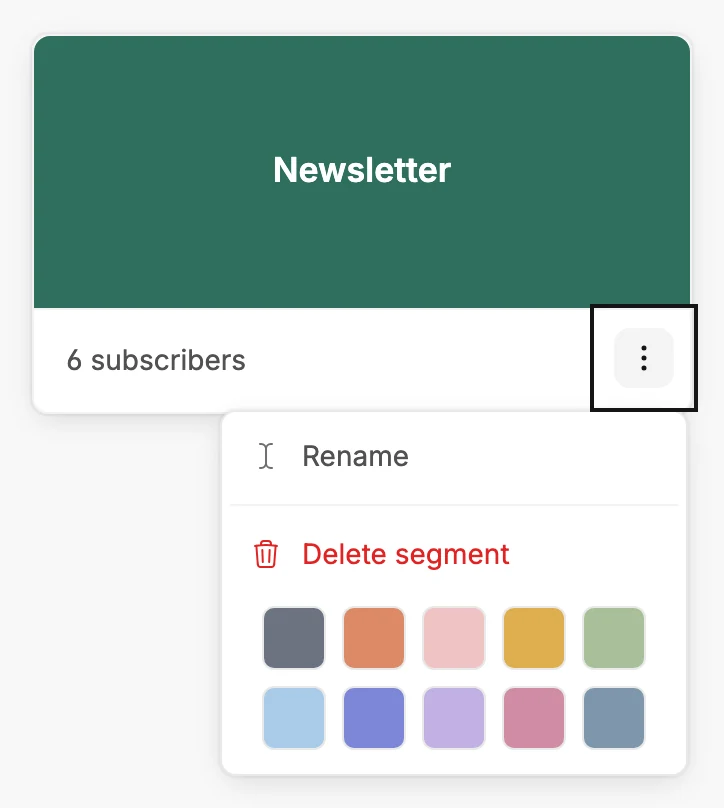
- Rename opens the Rename segment dialog.
- A row of ten colors. Select one and the card changes at once, along with the segment’s label on every subscriber’s row. A ring marks the color the segment has.
- Delete segment. Managers and Admins see it. An Editor’s menu has Rename and the colors.
See Rename or recolor a segment and Delete a segment.
When the page is empty
If your list is empty, the page says Add subscribers first. Its one button, Add subscribers, opens the Subscribers page. If you have people but no segments, the All subscribers card stands alone. A line under it says No segments yet. Create one to send to a slice of your audience.
More in this topic
Updated