

Erase a subscriber’s personal data
Short answer
On their page, select Delete subscriber, pick Erase personal data, and confirm. Their name, address, details, and history are gone for good; only a do-not-contact record can stay.
When you’re done, their subscriber record is gone. Their name, address, custom fields, consent record, location and time zone, and activity go with it. They leave every segment they were in. Any other record with the same address goes too, such as one that differs only in capital letters.
They also come off every email that picked them or left them out by name, sent or not, and out of every automation. An email that’s already going out when you erase them can still reach them. This is for a person who asks you to remove their data for good.
For everyday tidying, use Delete subscriber on its own. It hides them, and adding them again undoes it. See Delete subscribers.
Managers and Admins can erase. Erasing starts from Delete subscriber, and an Editor’s page doesn’t have that button.

- Open Audience and select the person’s name. Their page opens.
- Select Delete subscriber, at the right under their name. The Delete Priya Raman? dialog opens and asks how.
- Pick Erase personal data. The red button at the bottom changes to say the same.
- Select Erase personal data. Jounce takes you back to the Subscribers list and says Priya Raman’s personal data is erased.
Keep them closes the dialog and changes nothing. The dialog opens with the other card, Delete subscriber, picked. That one hides them instead.
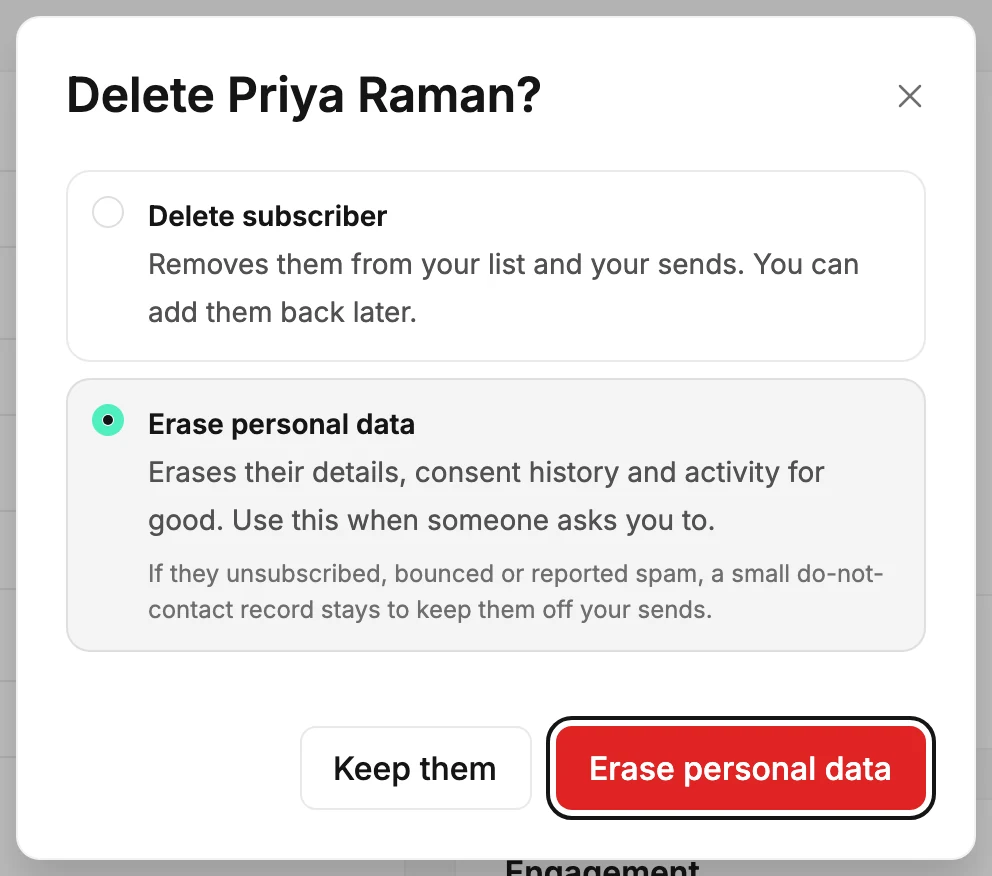
Careful There’s no undo. Adding the address again later starts a brand new record with none of their history.
What stays
The card says If they unsubscribed, bounced or marked an email as spam, a small do-not-contact record stays to keep them off your sends. That record keeps their address off your sends, even if a later import brings it back. For those people, Jounce’s message adds A do-not-contact record stays. Their subscriber record is still gone.
Someone who was Subscribed when you erased them has no do-not-contact record. So a later import would add them as new.
Copies of their data can stay in Jounce’s backups for up to 14 days and in its system logs for up to 30 days. Then they’re gone. If Jounce ever restores a backup, it erases them again before the restored copy goes live.
If it didn’t go through
Jounce says Couldn’t erase Priya Raman’s data — try again. Running it again is safe. The dialog stays open, so select Erase personal data again. A second try finishes whatever the first one left. Until then, they may be hidden from your Subscribers list, as a deleted subscriber is.
Until it finishes, their address can’t come back. A sign-up through one of your forms saves nothing, an import sets their row aside as still being erased, and adding them by hand says the address is still being erased. Jounce’s team hears of an erase that stops and finishes it.
Next step
To hide someone in a way you can undo, see Delete subscribers.
More in this topic
Updated