

The Subscribers tab
Short answer
The Subscribers tab shows your list as it stands: four cards, and a chart of who joined in the time range. Under them, it breaks your list down by source and by status, and the people you can email by country.
Open Analytics in the top bar. The page opens on the Subscribers tab. Everything on it shows your list as it stands, except New subscribers and its chart, which follow the time range at the top right.
The four cards
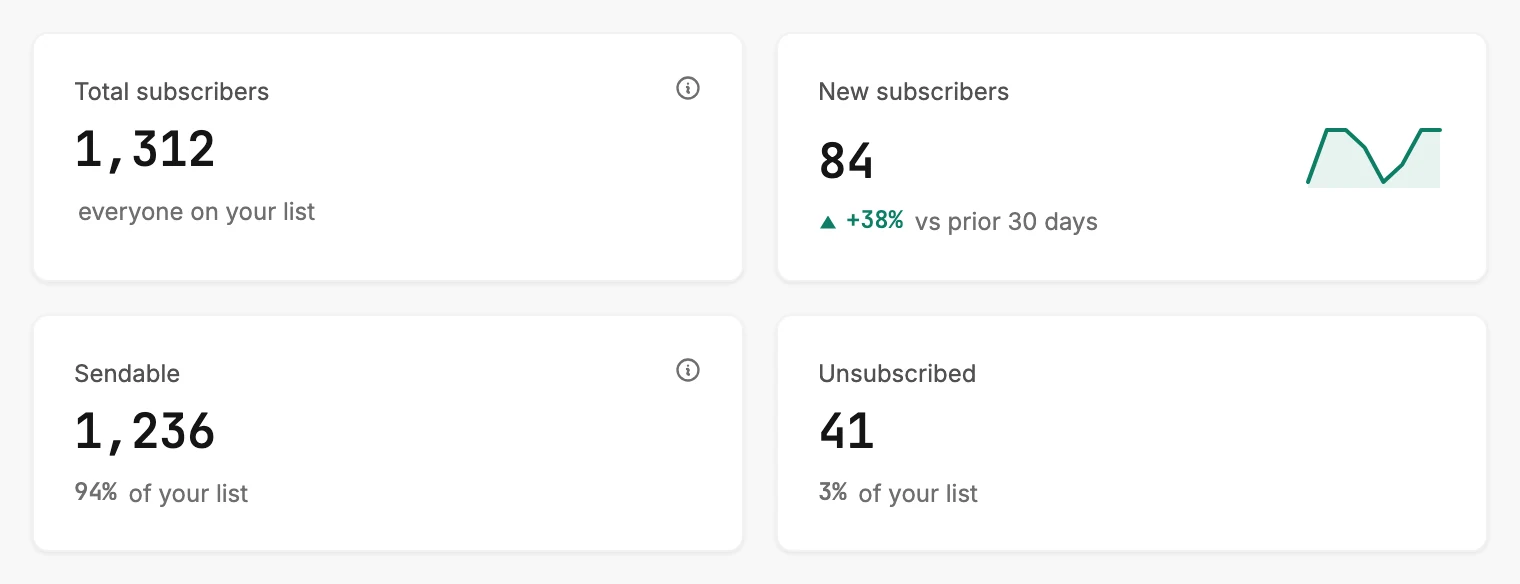
| Card | Who it counts | The line under it |
|---|---|---|
| Total subscribers | Everyone on your list, every status. | everyone on your list |
| New subscribers | People who joined in the range. | The change against the same length of time before, as +38%. |
| Sendable | People marked Subscribed. | Their share of your list, as 94% of your list. |
| Unsubscribed | People who opted out. | Their share of your list. |
Total subscribers carries an ⓘ. Rest your pointer on it, or tap it on a phone. It reads Everyone on your list — including unsubscribed and bounced. Sendable is the number you can email. Sendable carries one too.
See Sendable subscribers for what is in and out of that count. If this tab and your Subscribers page disagree, see Why doesn’t Analytics match my Subscribers page?
On New subscribers, a green up arrow means more people joined than in the period before. A red down arrow means fewer. A small line of bars beside the number traces the last few periods of the chart below. See How Jounce counts new subscribers.
The New subscribers chart
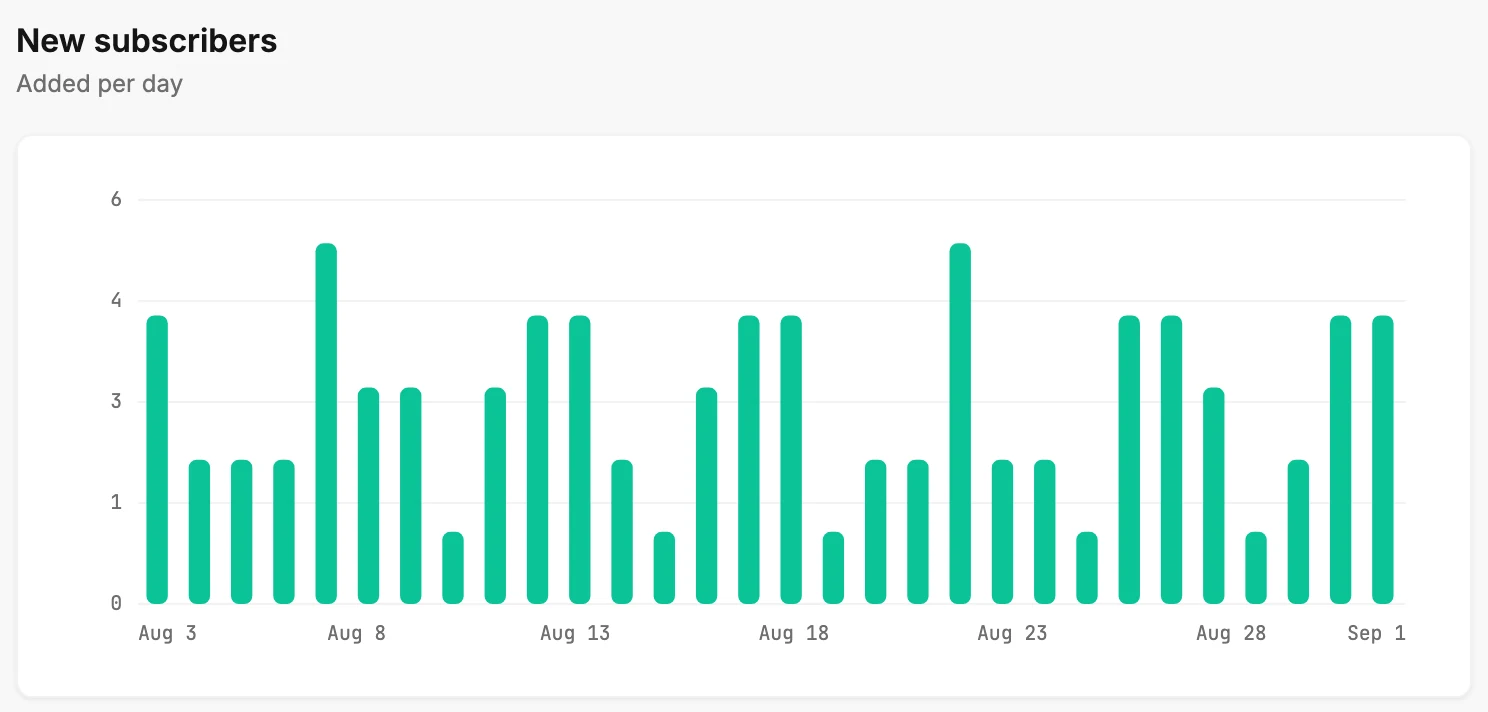
Under the cards, New subscribers draws one bar for each period in the range. The note under the heading names the period: Added per day for 7 and 30 days, Added per week for 90 days, and Added per month for 12 months. Rest your pointer on the chart to read a bar’s date and its count.
When nobody joined in the range, a line reads No new subscribers in the last 30 days where the chart would be. The cards above still count.
Subscribers by source
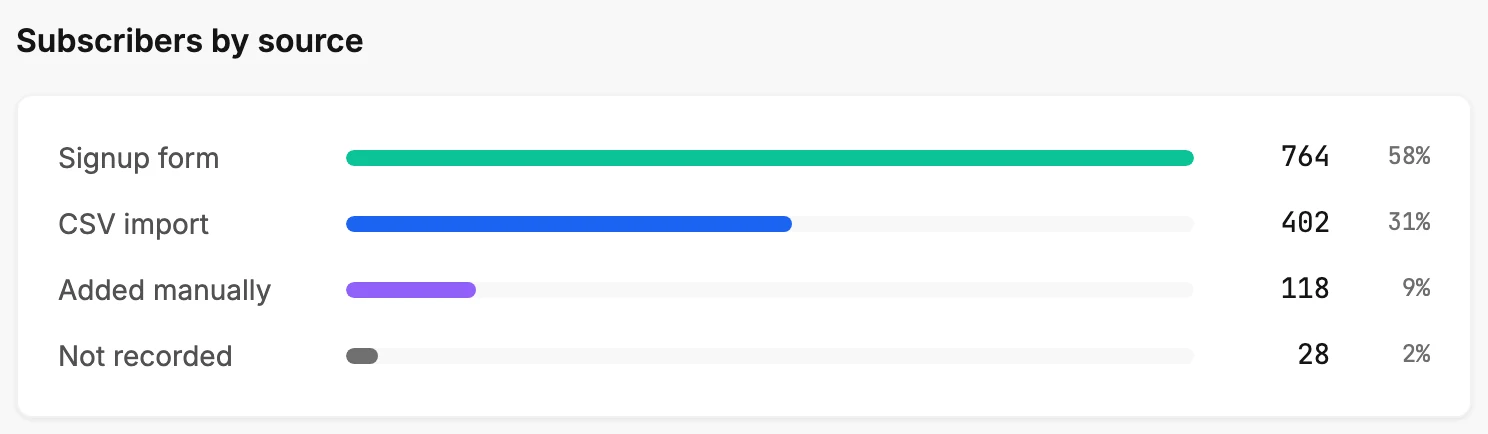
A ranked list of how people joined, biggest first: Signup form, CSV import, Added manually, and API. Each row shows a bar, its share of your list, and the count. A source nobody came from is left out. Not recorded sits last and apart, in grey, for people with no known source. See Why does Analytics say Not recorded?
Subscribers by status
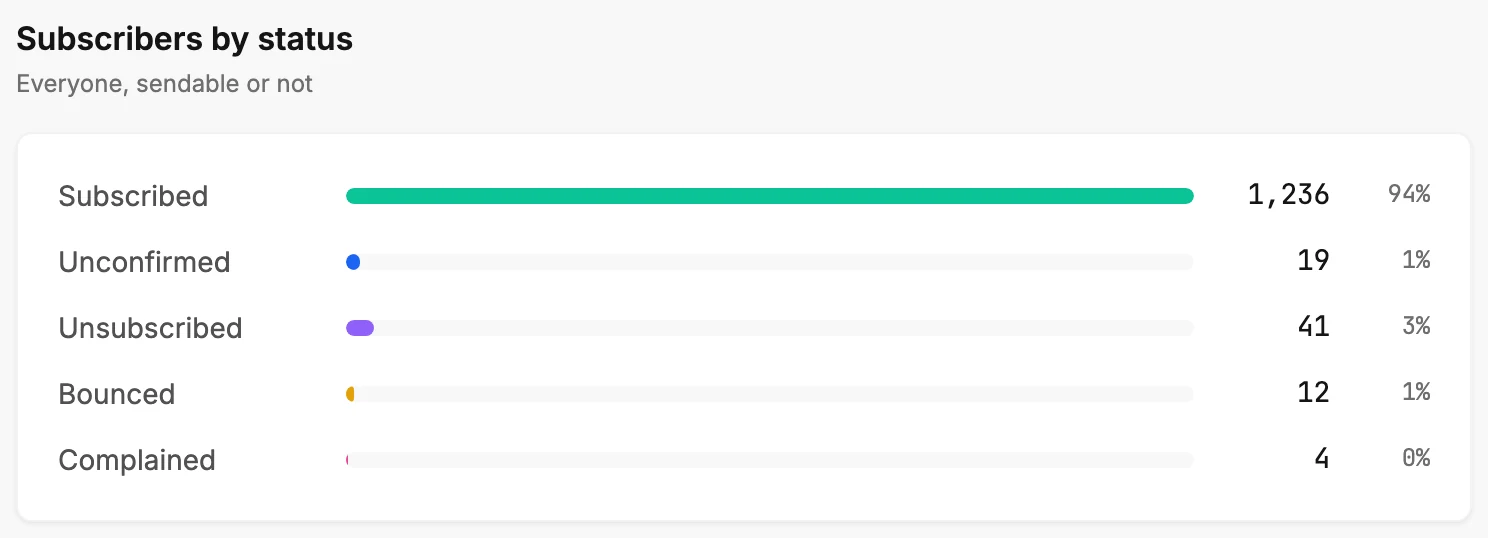
The five statuses in order: Subscribed, Unconfirmed, Unsubscribed, Bounced, and Complained, each with its share of your list and its count. A status nobody holds is left out. The counts are the same ones the Status menu shows on your Subscribers page. Subscriber statuses says what each one means.
Subscribers by location
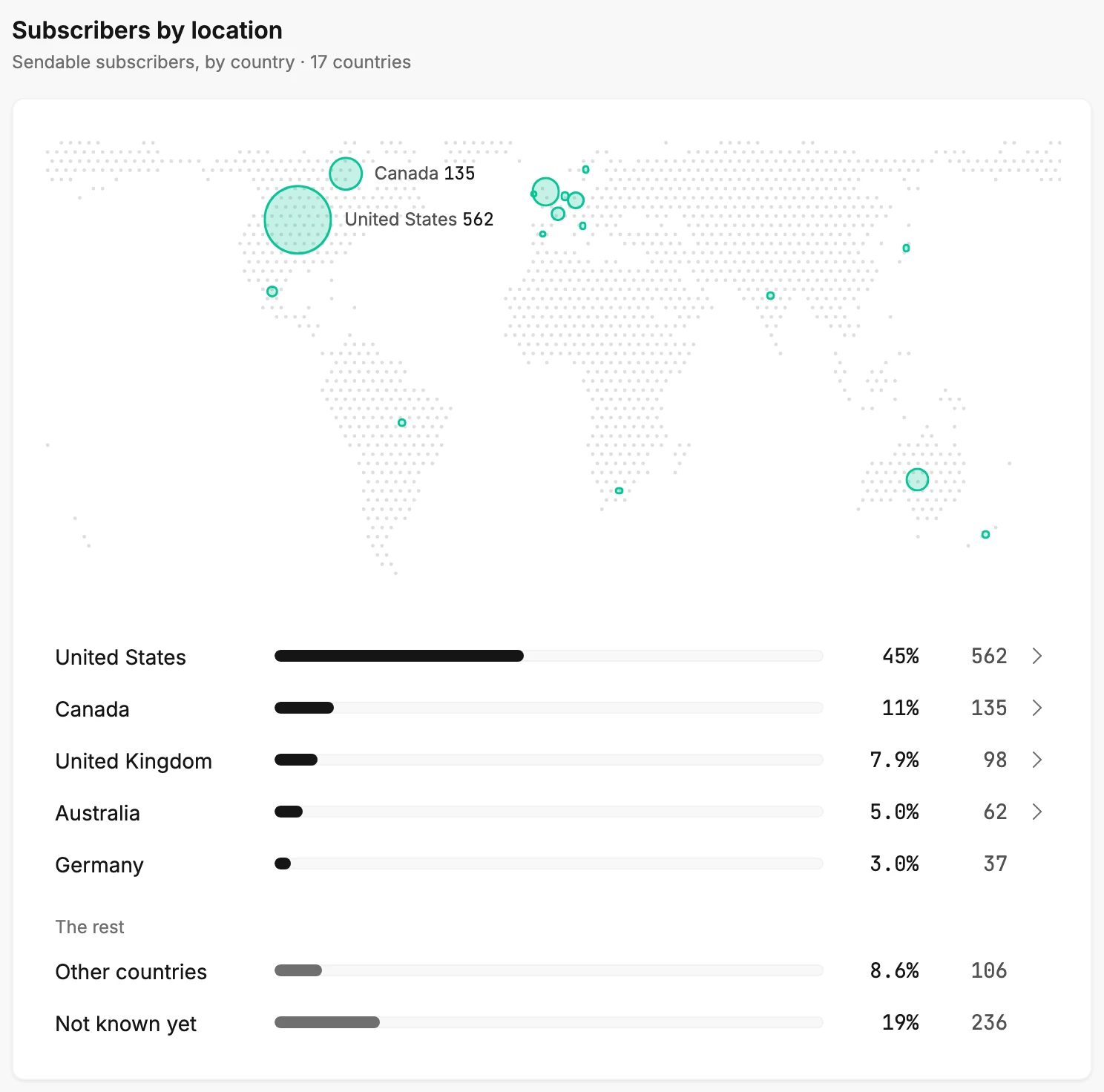
Under the two lists, Subscribers by location shows which countries the people you can email are in. It counts the same people as the Sendable card. Like the two lists above it, it ignores the time range. The note under the title reads Sendable subscribers, by country, then how many countries that is.
The map has a circle for each country. The more people in a country, the bigger its circle. Rest your pointer on a circle to see the country’s name and count. The biggest circles carry their name and count on the map too, where there’s room.
The list ranks up to five countries, most people first. Each row shows a bar, the country’s share of your sendable subscribers, and the count. Under The rest, Other countries adds up every country past the first five. Not known yet counts the people Jounce has no country for. See Where a subscriber’s location comes from.
A country’s own map
These countries open to a map of their own: the United States, Canada, the United Kingdom, Australia, Belgium, and Brazil. In the list, their rows end in an arrow. Select one in the list or on the map, and the section shows that country by state. Canada shows provinces, the United Kingdom its nations, and Belgium its regions.
The note names the country, as United States, by state. Each share is out of that country’s sendable subscribers. Rest of the country adds up the places past the first five. Not known yet counts people Jounce knows are in that country, but not where in it. All countries takes you back.
When nearly all the people you can email are in one of these countries, the section opens on that country by itself. All countries shows the whole world.
Before Jounce knows anyone’s country
Until Jounce has a country for someone you can email, the list reads No locations yet. They fill in as people join through your forms or click a link in your emails.
When your list is empty
If your list is empty, the tab shows just No subscribers yet and an Add subscribers button. The button opens Audience. See Why is an Analytics tab empty?
More in this topic
Updated