

The Brand profile
Short answer
The Brand profile is a written description of your brand on the Brand page: what you do, who it’s for, and how you sound. A website scan drafts it, and every line is yours to edit.
The card sits below Social links on the Brand page. Closed, it shows a glance: your brand name and industry, with your specialty in parentheses.
A count says how many lines are still empty, as 3 more to fill in. Before anything is written, it says Scan your site above, or write it yourself. Select the card’s header to open it.
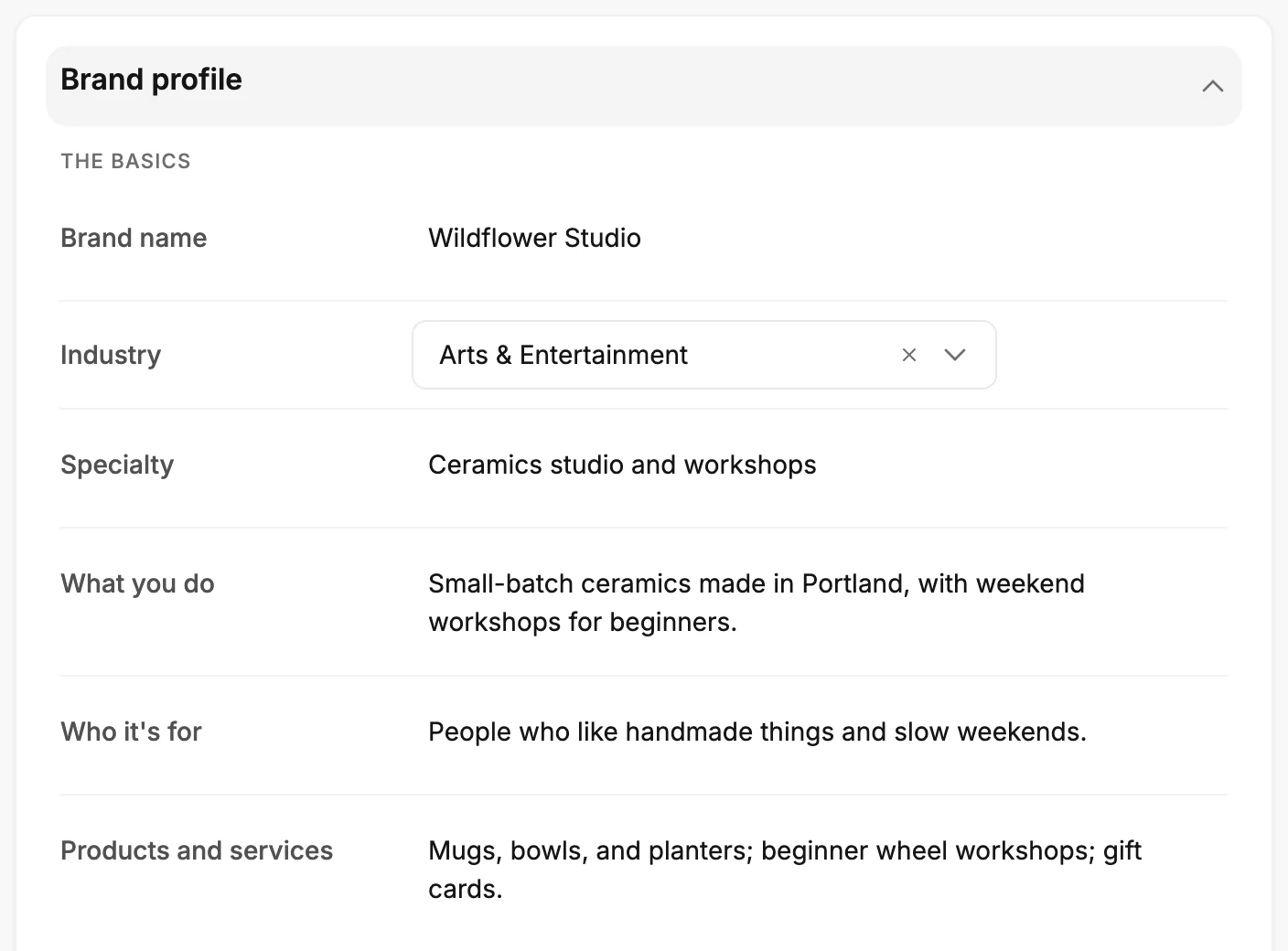
The lines
The profile has three groups. Edits save on their own as you type, so the profile never waits for Save kit. See How settings save.
| Group | Lines |
|---|---|
| The basics | Brand name · Industry · Specialty · What you do · Who it’s for · Products and services |
| How you sound | Voice · Writing style |
| What sets you apart | Why people choose you · Keywords · Visual style |
Industry is a list to choose from. It runs from Software & Technology to Government & Public Sector, with Other at the end. Every other line is free text. The email template gallery opens on the industry you choose. See The template gallery.
How a scan fills it
Scan my site reads your site and drafts every line it can. The card opens on its own when the draft arrives, so you can read it through. A later scan refills the lines it can read and leaves the rest as you wrote them.
The name is the exception: a scan fills it only while it’s empty, so a name you typed stays. See Fill your brand from your website.
What it changes
Five things read the profile. Start with AI on the Create email screen reads the whole of it. The draft then speaks about what you do, to the people you serve, in your voice. See Start an email with AI.
In every email you create, the editor’s chat reads Voice and Writing style when it rewrites a line.
With no logo saved, Jounce offers your Brand name as the name your emails show in the logo’s place. It shows only if you choose it. The Logo card then keeps its own copy, so a later change here doesn’t reach your emails. See Send emails without a logo.
Jo is the chat behind the Help button. To fit its advice to your business, it reads Brand name, Industry, Specialty, Who it’s for, Products and services, and Why people choose you. See How Jo uses your messages.
Your Brand name shows in a line at the foot of each full page and link-in-bio page you publish. The line starts Your details go to. See The Address page.
Nothing else changes. Apart from that line, the profile doesn’t touch your forms or automations. The rest of it never shows in what you send.
More in this topic
Updated