

Change a member’s role
Short answer
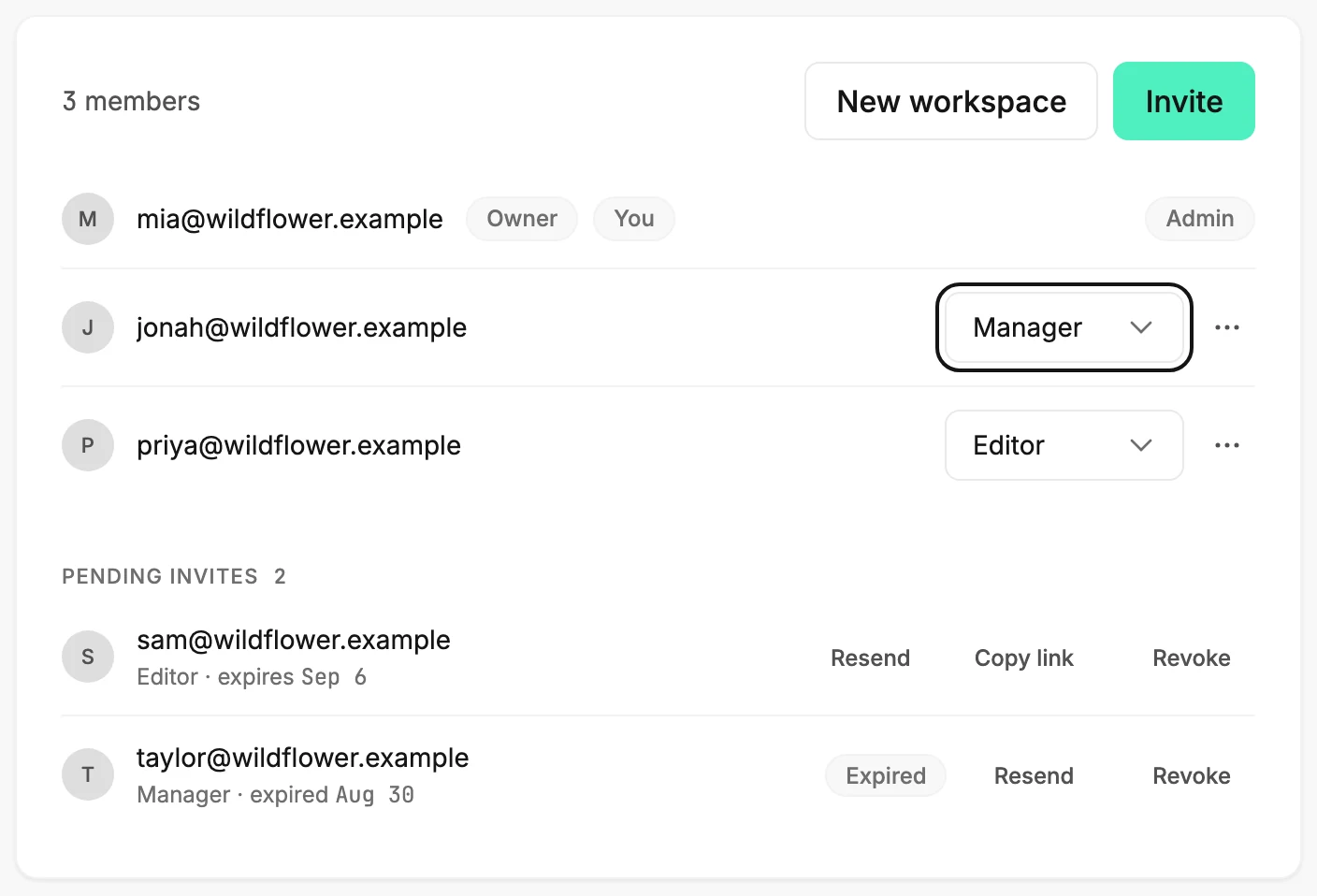
On the Members page, an Admin opens the role menu on the person’s row and picks Admin, Manager, or Editor. Jounce saves it at once, and no one can change their own role.
When you’re done, Jounce says ⟨address⟩ is now a manager, and the person’s row shows the new role. You need to be an Admin of the workspace. To make someone an Admin, their email address has to be verified. What each role can do is in Workspace roles.
- Select your avatar at the top right and choose All settings.
- Choose Members. The member list shows everyone in the workspace.
- Find the person’s row. Near its end, a menu shows their role.
- Open the menu and pick Admin, Manager, or Editor. Jounce saves it at once and says ⟨address⟩ is now a manager.
What to expect next
Jounce applies the new role to everything the person does from then on. If they’re signed in, their screen may still show the old buttons until they reload the page.
Making someone an Admin lets them invite people, change roles, remove members, make someone else the owner, and rename the workspace. Moving someone to Editor takes away sending, publishing, and deleting; their drafts stay theirs to edit. Any app they connected, like Zapier or Claude, loses access too, since connecting one is for Admins and Managers.
Changing a role never changes who the owner is, so the Owner badge stays where it is. To move it, see Make someone else the owner.
Your own row has no role menu. Another admin changes your role.
If Jounce says A workspace needs at least one admin. Make someone else an admin first, you tried to demote the only admin. See Why does it say a workspace needs at least one admin?
If it says ⟨address⟩ hasn’t verified their email address yet, ask them to verify it, then pick Admin again. See Why can’t I change a member’s role or remove them?
If it says That role change didn’t save. Nothing changed — try again, pick the role once more.
Next step
Someone who shouldn’t be here at all: Remove a member.
More in this topic
Updated