

See how many people unsubscribed in a period
Short answer
On the Emails tab of Analytics, the Unsubscribe rate card counts who opted out from the emails you sent in your time range. The Subscribers tab’s Unsubscribed card is your whole list, whatever the range.
When you’re done, you’ll know how many people opted out from the emails you sent in the period. You’ll also know what share of your delivered mail that was.
-
Open Analytics in the top bar and choose the Emails tab.
-
Pick a time range at the top right. The page opens on the last 30 days. See Choose a time range.
-
Read the Unsubscribe rate card. The rate is the share of delivered mail that led to an opt-out. The line under it, 4 this period, is the count of people.
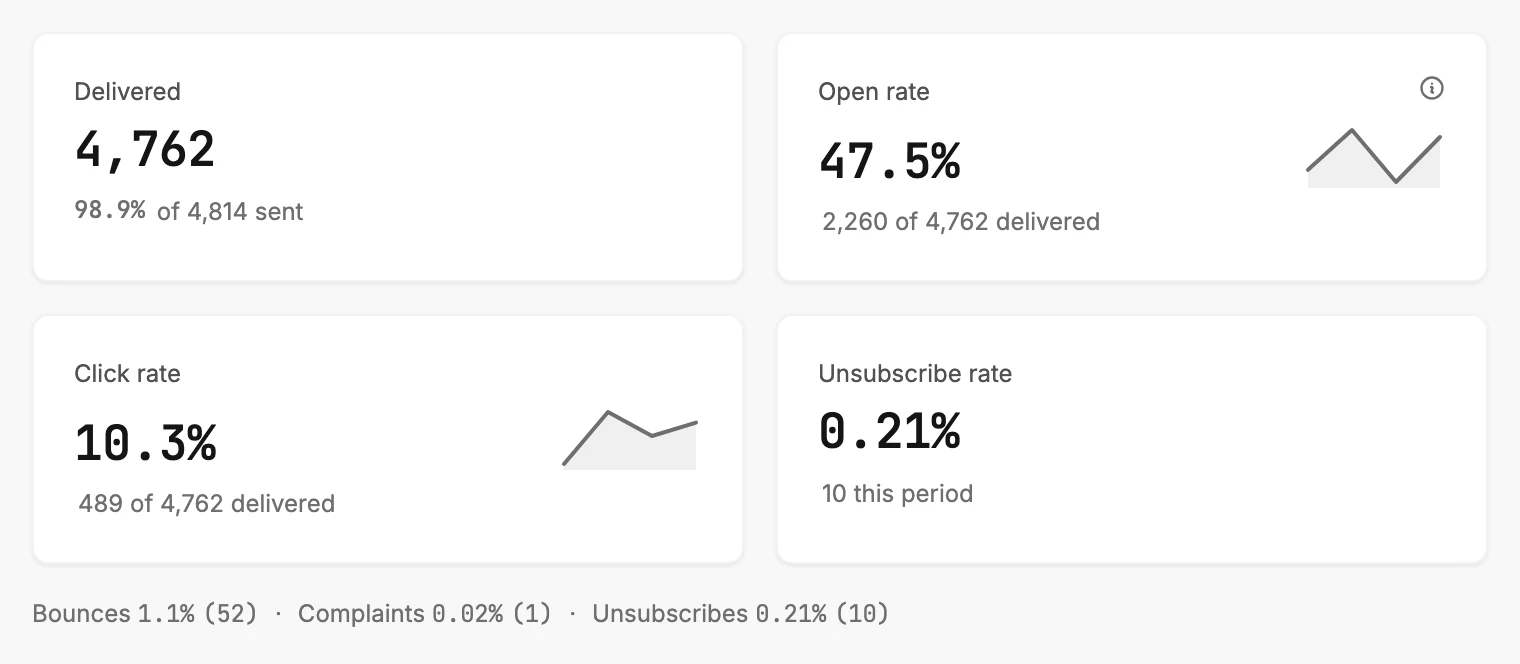
The line under the cards repeats this rate and count as Unsubscribes, next to Bounces and Complaints.
What the count holds
The count is the people who opted out through the unsubscribe link of an email you sent from the Emails page in the range. An opt-out through their mail app’s own unsubscribe button counts the same way. Each person counts once, against the send they opted out from.
If someone opts out from an automation’s email, it counts on the Automations tab instead. There, Unsubscribes covers all time. See What the Emails tab counts.
There’s no calendar-month range, so 30 days is the closest. For a longer view, pick 90 days or 12 months and the count grows with it.
The Unsubscribed card on the Subscribers tab
The Subscribers tab has an Unsubscribed card too. It counts everyone on your list who is unsubscribed now, whenever they opted out. So it reads the same in every range. See Which numbers follow the time range. To see who they are, open Audience and filter by the Unsubscribed status.
Next step
To see who left, read Filter your subscribers under Unsubscribed. What Jounce does for each is in Bounces, complaints, and unsubscribes.
More in this topic
Updated