

The Your forms table
Short answer
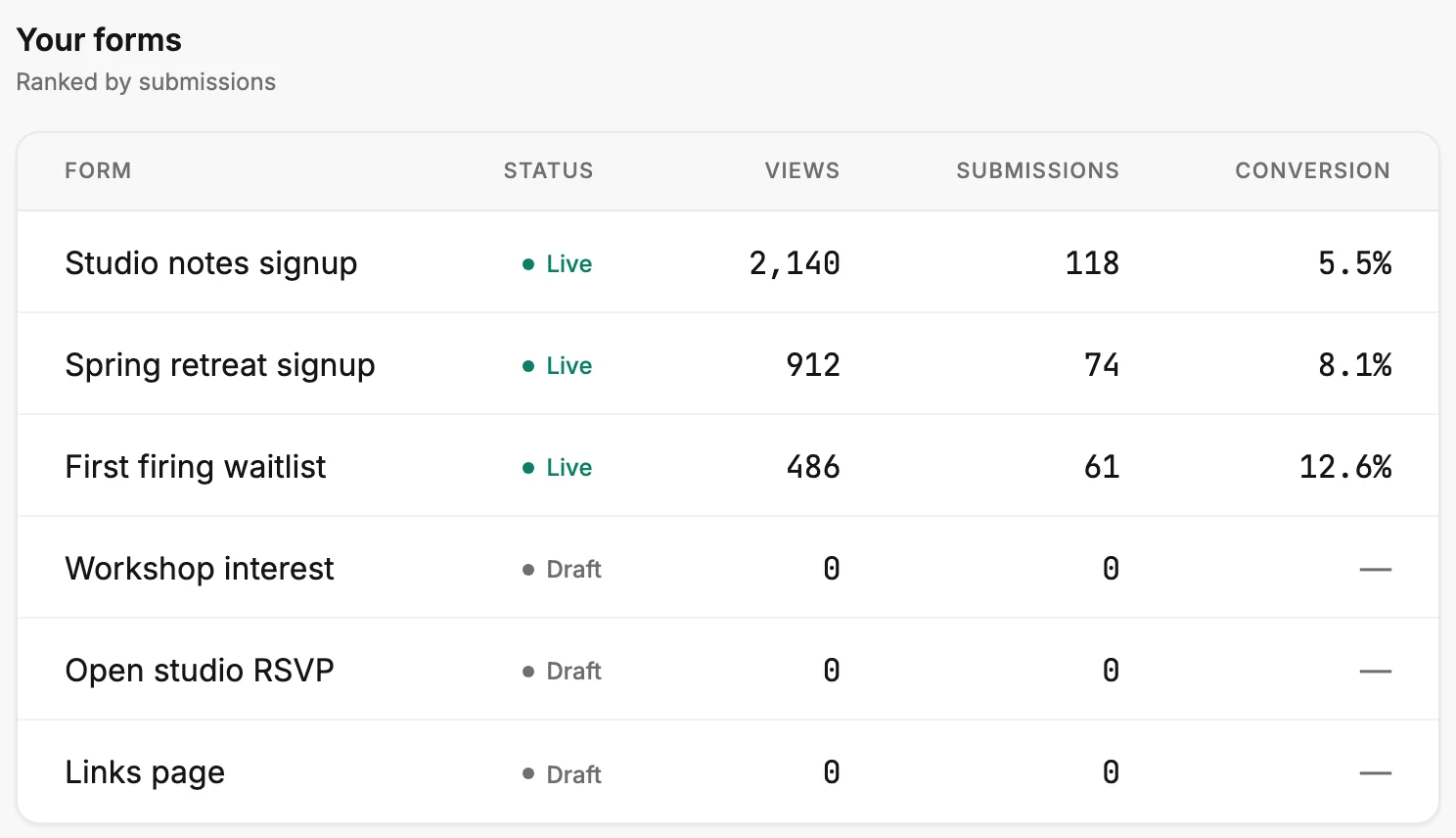
The last section on the Forms tab lists every form, ranked by submissions in the time range, with its status, views, submissions, and conversion. A row is for reading; to change a form, open Forms.
Your forms is the last section on the Forms tab. The note beside the heading reads Ranked by submissions. Every form in the workspace is a row, whichever folder it sits in.
The columns
| Column | What it shows |
|---|---|
| Form | The form’s name. A long name is cut short with three dots. |
| Status | Live or Draft, the same label the form wears on Forms. |
| Views | Visits to that form inside the range. |
| Submissions | People who joined through that form inside the range. |
| Conversion | Its submissions as a share of its views, for the range. |
The three number columns follow the time range at the top right. The Forms page counts the same three over all time, so the two pages show different numbers for the same form. See The Forms page.
The order
The form with the most submissions in the range sits at the top. When two forms tie, the live one comes first, then the newer one. A draft that wasn’t live during the range has no visitors. Those drafts gather at the bottom with 0, 0, and a dash.
The Status column
Live means the form is out in the world and counting. Draft means it isn’t; a form you unpublished reads Draft too, with the numbers it collected in the range still beside it. See Draft and live.
A dash under Conversion
A dash means there are no views to divide by, or that submissions outnumber views. It never means zero; a zero reads as 0. See Dashes, plus signs, and the As of line.
Opening a form
A row doesn’t open anything. To edit, rename, or share a form, open Forms in the top bar and select its card. To read a form’s numbers over all time, select the second of the two view buttons beside Create form on the Forms page.
More in this topic
Updated