

The Analytics page
Short answer
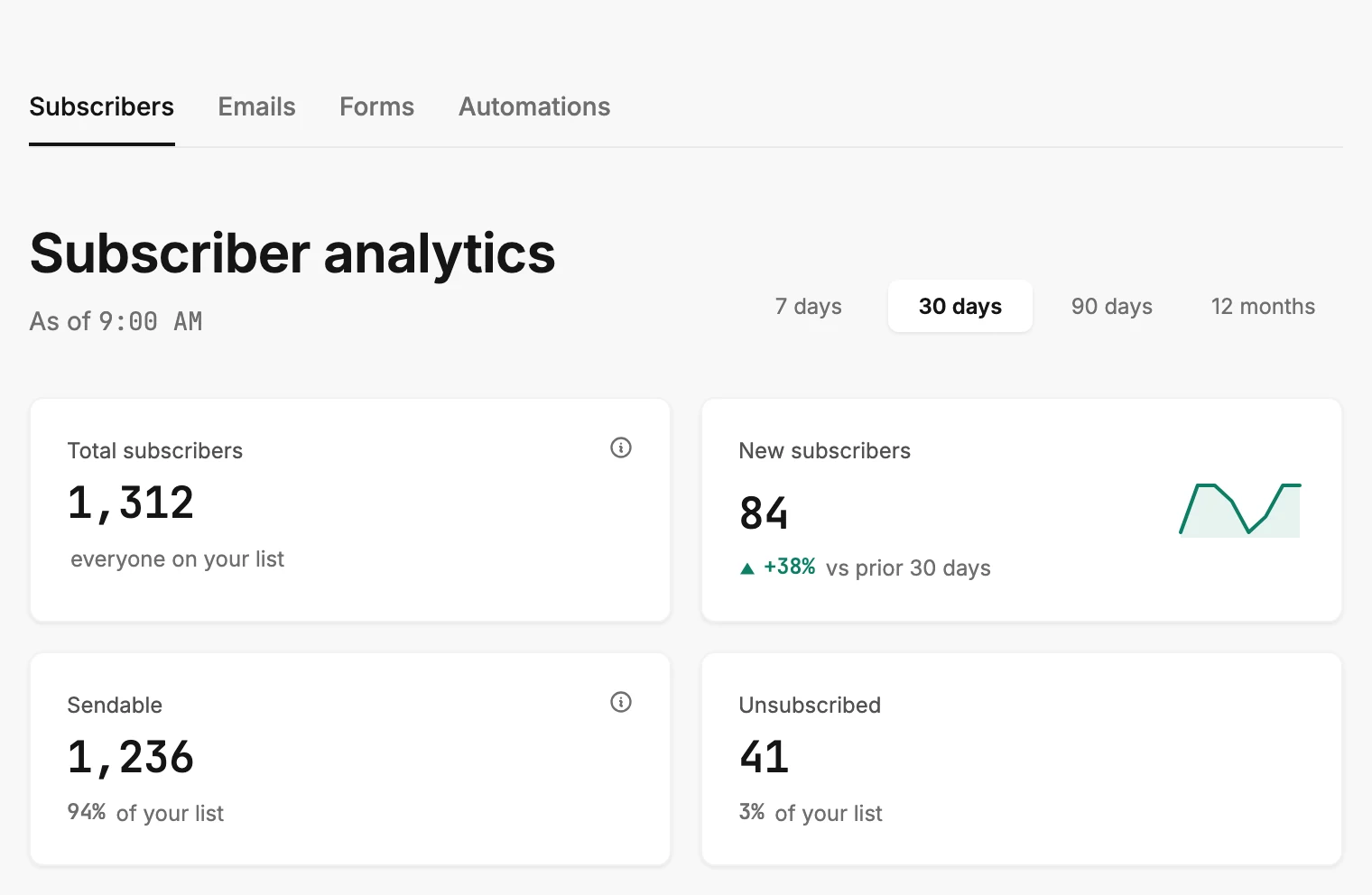
Analytics is one page with four tabs across the top: Subscribers, Emails, Forms, and Automations. Each tab shows a row of cards, then a chart or a table, for the time range you pick.
Open Analytics in the top bar. The page opens on the Subscribers tab, over the last 30 days.
The four tabs
The tabs sit right under the top bar.
| Tab | What it shows |
|---|---|
| Subscribers | Your whole list by status and by how people joined, how many you can email and in which countries, and how many new people joined in the range. |
| Emails | Every email sent in the range: delivered, open and click rates, bounces and complaints, and a table of recent sends. |
| Forms | Submissions and views in the range, the conversion between them, and a table of every form. |
| Automations | Who entered an automation in the range, and every automation’s sends, opens, and clicks over its whole life. |
The address bar changes with the tab, so a bookmark or a shared link opens on that tab. Switching back to a tab you’ve opened is instant. Jounce keeps the numbers it already fetched.
The title and the As of line
Under the tabs, the title names the tab you’re on: Subscriber analytics, Email analytics, Form analytics, or Automation analytics. The line under the title reads As of and a time. That is when the numbers on screen were fetched.
The time range
At the right of the title, four choices set the window every tab reads: 7 days, 30 days, 90 days, and 12 months. See Choose a time range.
How a tab is laid out
Every tab starts with a row of four cards. A card has a label, a number, and a short line under it. Some carry an ⓘ beside the label. Rest your pointer on it, or move to it with the keyboard, for a short explanation. On a phone, tap it.
When a number can’t be counted, the card shows a dash. See Dashes, plus signs, and the As of line.
Under the cards, each tab has its own sections: a chart of the range, ranked lists with bars, a map, or a table. Rest your pointer on a chart to read the value at that point.
On the Emails and Automations tabs, a row in the table opens that email’s results page or that automation’s insights page. See Open results from Analytics.
When there is nothing to show
A tab with nothing in it shows one short message in place of the cards, such as No sends in the last 30 days. See Why is an Analytics tab empty? When a tab reads Couldn’t load instead, see Why won’t Analytics load?
More in this topic
Updated