

Find out whether an email reached someone
Short answer
Open the person’s page on Audience: their status label says whether Jounce sends to them, and their Activity card lists clicks, bounces, spam complaints, and unsubscribes. The email’s results page says how many were delivered in all.
When you’re done, you’ll know whether Jounce sent to the person, whether their mailbox took it, and whether they did anything with it.
Check the person
- Open Audience and select the person. Their page opens.
- Read the status label under their name. Subscribed means Jounce sends to them. Any other status means it didn’t, and Subscriber statuses says why.
- Scroll to the Activity card on the right. Each line is one thing that happened, newest first.
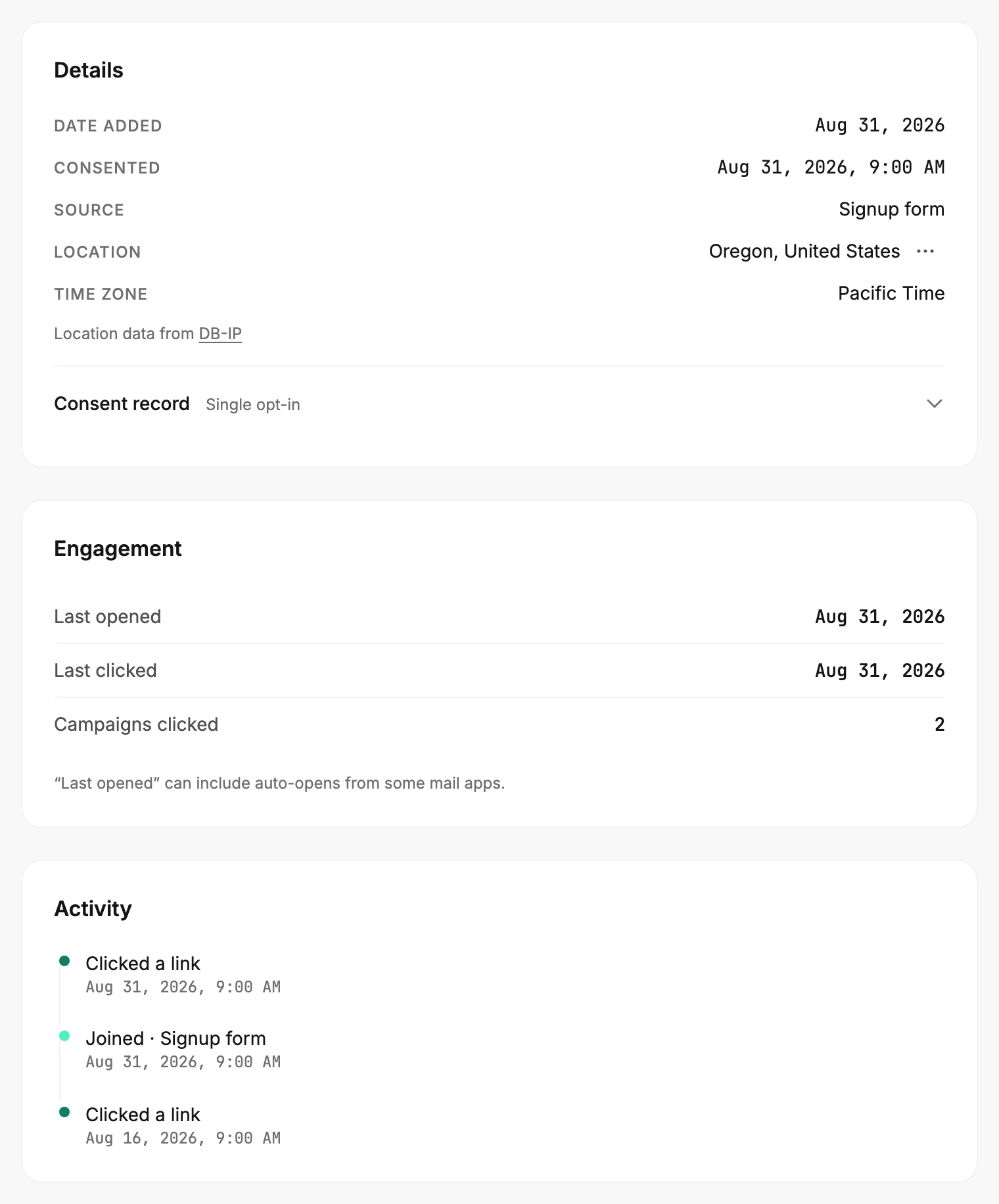
The lines that answer your question:
| Line | What it tells you |
|---|---|
| Clicked a link | The email reached them and they clicked. One line per email, by the date. |
| Email bounced | Their mailbox refused an email for good. Jounce stopped sending to them. |
| Marked as spam | The email reached them and they marked it as spam. Jounce stopped sending. |
| Unsubscribed | They opted out through the link or their mail app’s button. |
A delivery on its own leaves no line. An email that reached them and sat unread looks the same as one they never saw. The Engagement card above keeps their most recent open as Last opened. Keep in mind that some mail apps open email on the reader’s behalf. See The Activity list.
Check the email
- Open Emails and select the sent email. Its results page opens.
- Read the count at the top, such as 1,206 people. That’s how many people Jounce sent it to.
- Read Delivered on the card. It’s the share no mailbox has refused so far, with the number of people under it. Bounced, lower on the card, counts the mailboxes that refused it.
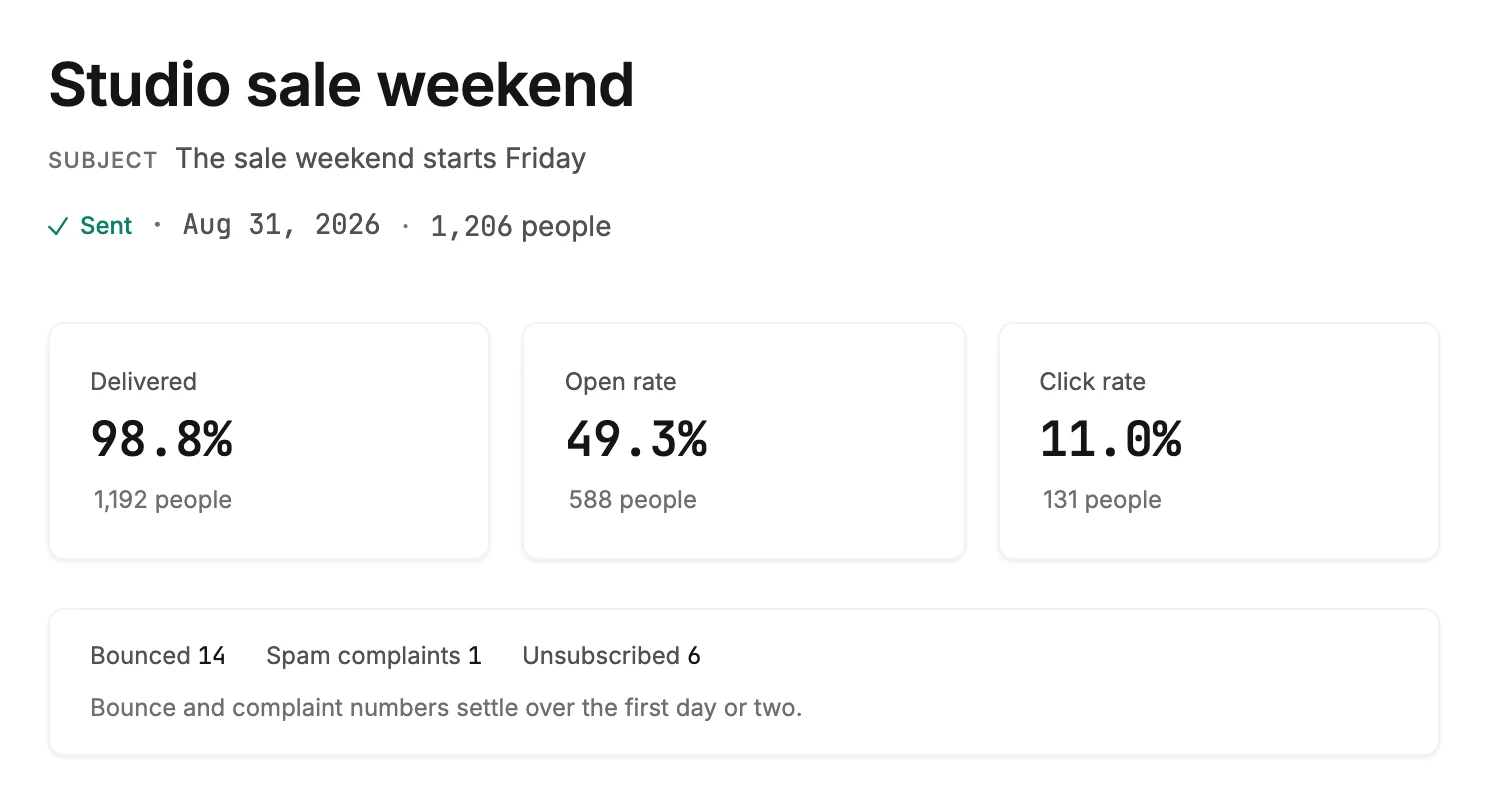
Delivered means no bounce has come back, not that the reader saw it. The number can drop for a while as bounces arrive. Which folder the email landed in is the provider’s call, and What decides whether an email arrives explains the rest of the journey.
Note Bounces and spam complaints come back after the send, some a day or two later. A person can read Subscribed the morning after and Bounced by the weekend.
Next step
If their mailbox refused it, see Change a subscriber’s email address; if they never confirmed, see Resend a confirmation email.
More in this topic
Updated