

Why does my domain say Not authenticated?
Short answer
Jounce looked for your records for a while and never found them, so it stopped checking on its own. Your domain is still saved: fix the records and select Verify.
Your emails keep going out, sent via Jounce, and the domain is still yours to finish. The card says it: Jounce hasn’t seen these records yet. Your domain is still saved — add the records below (exactly as shown) and verify again.
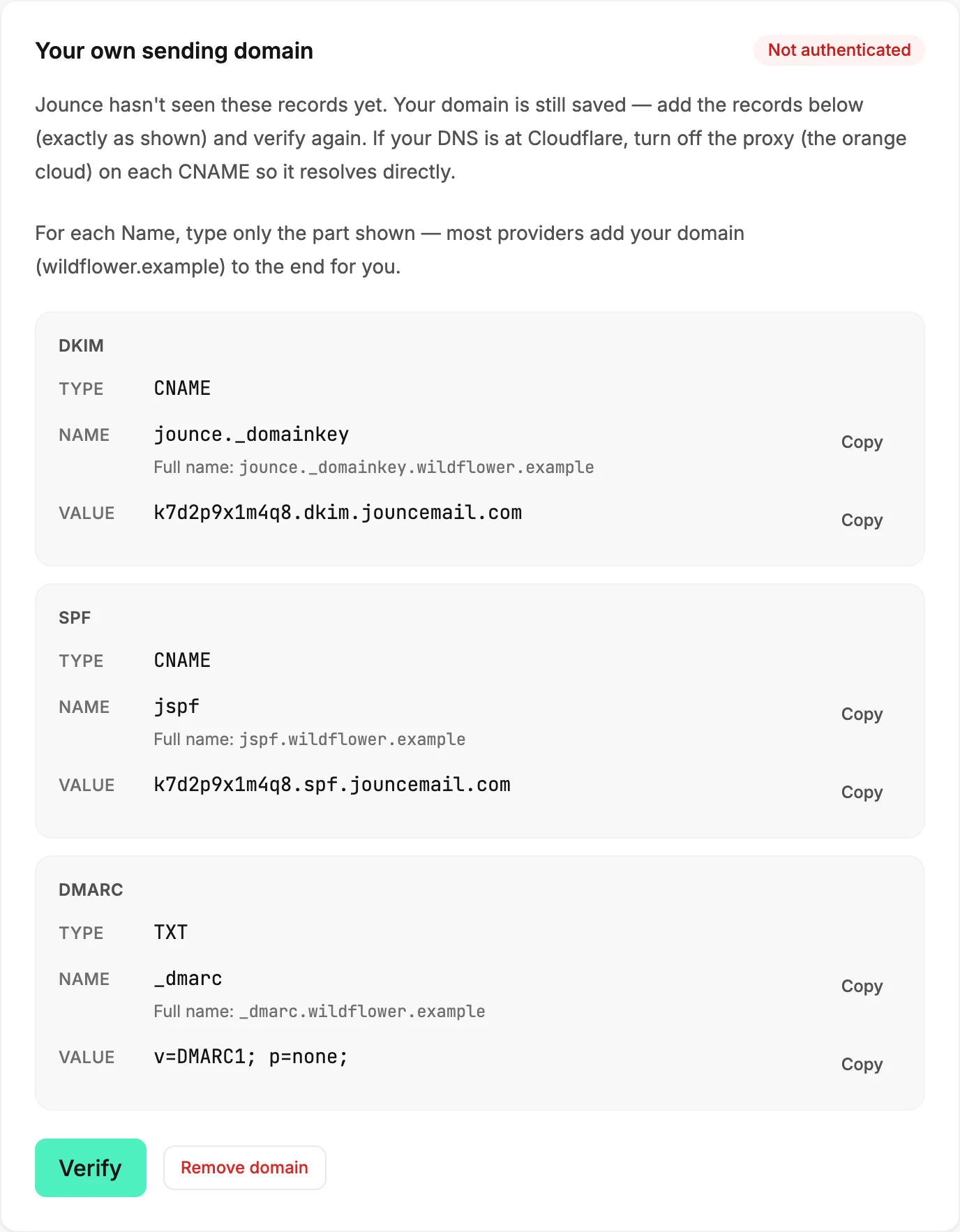
Fix the records, then Verify
- Open your provider’s DNS settings and compare each record against the card: the Type, the short Name, and the whole Value. The records Jounce asks you to add explains each field and the doubled-name mistake.
- If your DNS is at Cloudflare, turn the proxy off on each CNAME, the grey cloud.
- Back on the Sending page, select Verify.
If it stays Not authenticated
If the records are right and a few hours pass with no change, remove the domain and add it again. Select Remove domain, confirm, then type the domain and select Authenticate domain. The records are the same as before, so the ones already at your provider keep working. The check starts fresh. Remove your sending domain walks through it.
A domain that used to be Authenticated
If the badge was Authenticated before, the records went away or the domain lapsed. See Why did my emails go back to Sent via Jounce?.
More in this topic
Updated