

Why is my domain still Pending?
Short answer
Your provider hasn’t published the records where Jounce can see them yet, or one of them isn’t quite right. Jounce keeps checking on its own, and Verify checks right away.
Your emails keep going out in the meantime, sent via Jounce, and nothing about the setup is lost. The card’s own line sets the expectation: DNS can take a few minutes to a few hours to update.
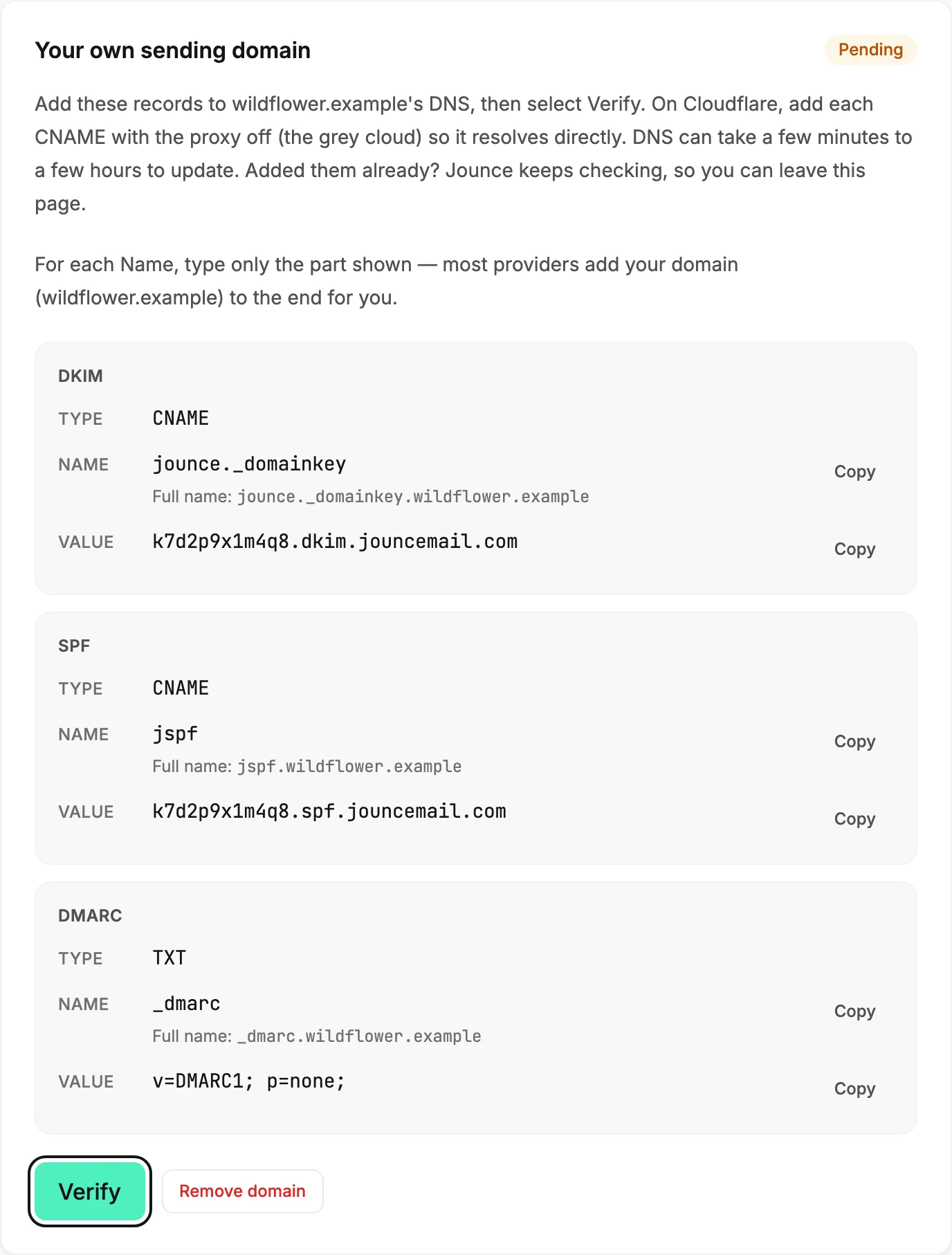
Give it time, then Verify
Jounce checks on its own, over and over, so you don’t have to stay on the page. If you’ve waited a few hours, select Verify. If the badge still reads Pending, one of the records is the problem.
Check the DKIM record first
The badge turns to Authenticated when the DKIM record is confirmed. Open your provider’s DNS settings and compare that record against the card:
- Type is CNAME.
- Name is the short host,
jounce._domainkey. If your provider adds the domain for you, a pasted full name repeats the domain, and the record never confirms. Delete the record and add it again with the short host. - Value matches the card exactly. Use Copy rather than typing.
- If your DNS is at Cloudflare, the proxy is off for the record, the grey cloud. A proxied CNAME can’t be confirmed.
Then check the SPF record the same way.
If Verify shows a message
Couldn’t check right now. Your records are still in place — try again in a moment. means the check itself didn’t run. Nothing changed; try again.
If it is never authenticated
After a while, Jounce stops checking and the badge turns to Not authenticated. Your domain stays saved, with its records. Why does my domain say Not authenticated? picks it up from there.
More in this topic
Updated