

The Send from your own domain invitation
Short answer
While your workspace still sends via Jounce, a small dialog may ask you to authenticate your domain when you open the app. The Authenticate domain button opens the Sending page, keeping the dialog away for a week; after the third Not now, it stops asking for good.
The dialog’s heading is Send from your own domain. It reads: Your emails currently go out through a shared Jounce address. Authenticate your domain and they’ll come from your address instead, with a sender reputation that’s yours alone. The dialog changes nothing by itself. Both buttons close it in one tap.
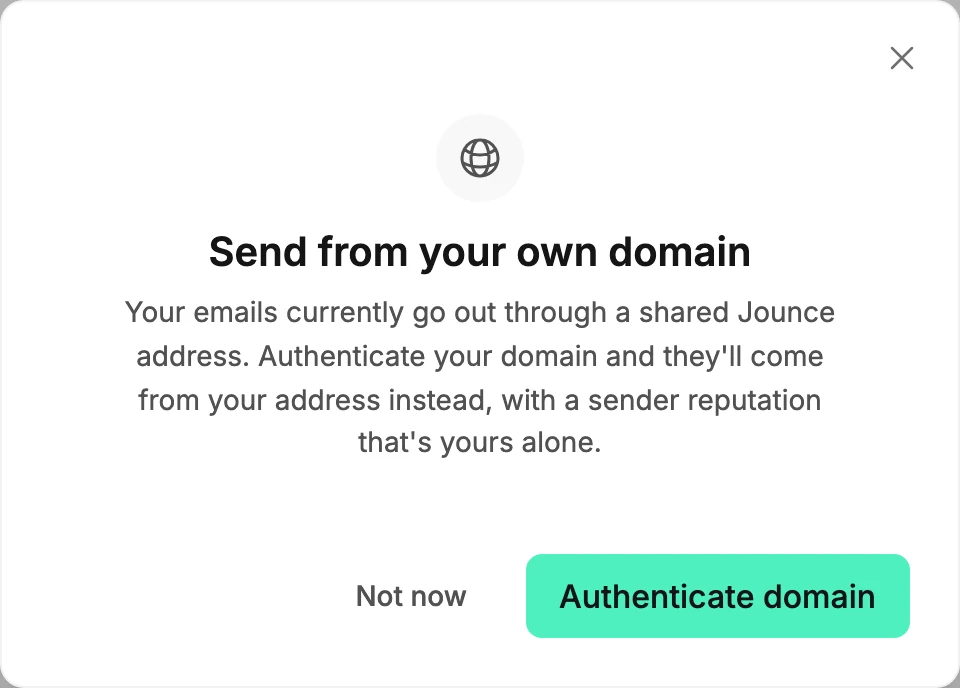
The two buttons
- Authenticate domain takes you to the Sending page, where the Your own sending domain card is. Jounce then leaves the invitation alone for a week.
- Not now closes it. The ×, the Escape key and a click outside it count as Not now too. After the third Not now, the invitation stops appearing for good.
When it appears
At most once per browser session, Jounce shows it when you open the app on one of the main pages, and only when all of these are true:
- Your workspace is sending via Jounce and hasn’t started adding a domain.
- The workspace has made at least one email.
- Your own sign-in address isn’t at a free mailbox such as gmail.com or yahoo.com. Those domains can’t be authenticated, so there is nothing to invite you to.
- Sending isn’t paused or at risk. While it is, the sending banner takes priority.
- You aren’t already in Settings.
Jounce saves the Not now count and the week of quiet with the workspace. So the invitation behaves the same on every device you sign in from.
Why it stopped showing
Three Not nows end it for good. Choosing Authenticate domain keeps it away for a week. A domain keeps it away only while the workspace has one, so it can appear again after Remove domain. You can still authenticate a domain any time from the Sending page; see The Sending page.
More in this topic
Updated