

Create an API key
Short answer
On the Developer API page, select Create key, name it, pick Full access or Read-only, and select Create key. Copy the key from its box: Jounce shows it only once.
When you’re done, you’ll have a key to hand to whoever writes the code. It also shows in the list on the Developer API page. You need to be an Admin or a Manager of the workspace.
- Select your avatar at the top right. Choose All settings, then Integrations under Workspace.
- Select Set up on the Developer API card. The Developer API page opens.
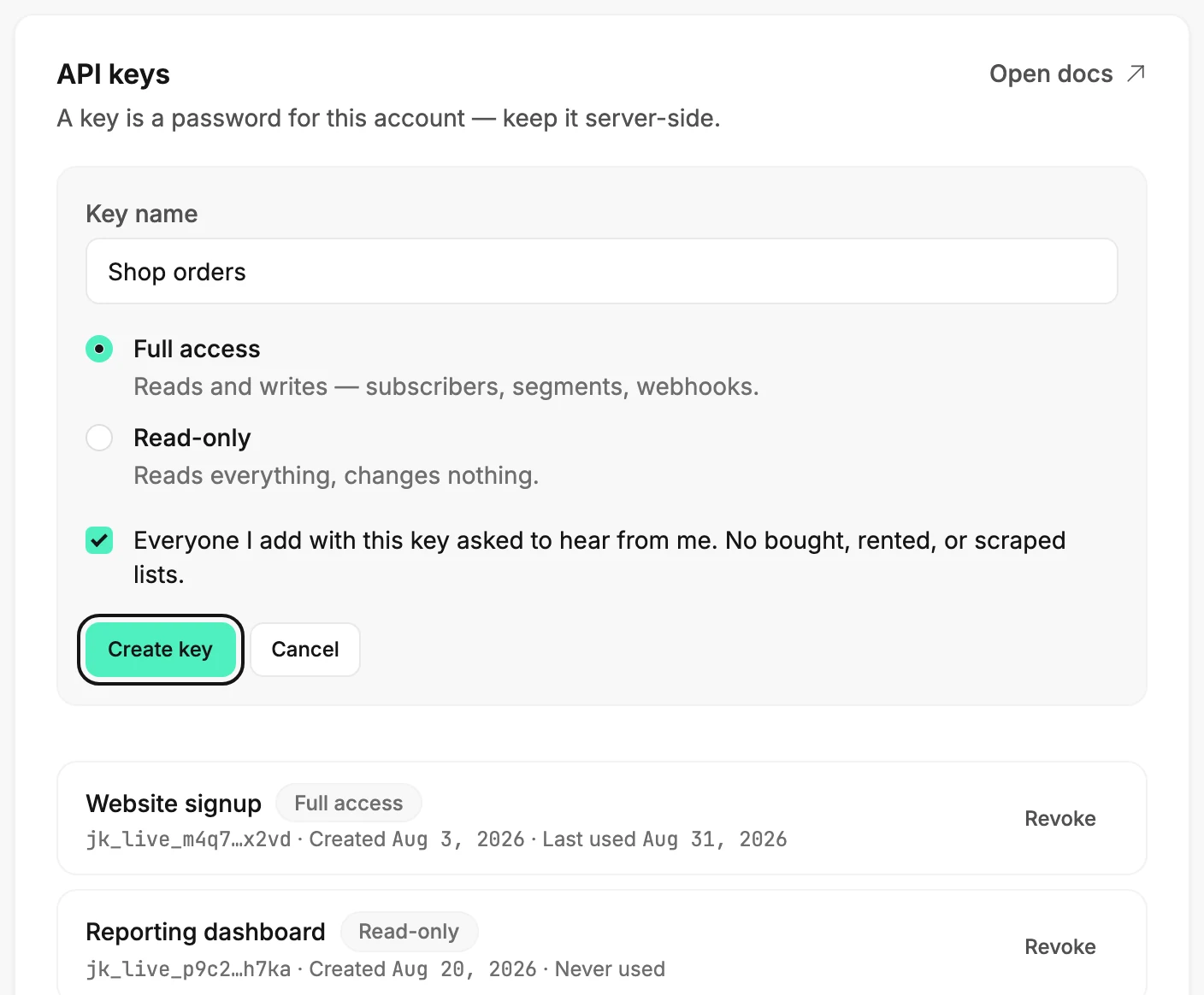
- Select Create key at the top of the API keys card. A short form opens in the card.
- Type a name in Key name that says what the key is for. The field suggests Website signup, server, reporting….
- Choose Full access or Read-only. For full access, tick the statement Everyone I add with this key asked to hear from me. No bought, rented, or scraped lists. Create key stays unavailable until you do.
- Select Create key. The card reads ⟨name⟩ is ready, with the key in a box under it.
- Select Copy and paste the key wherever your code keeps its secrets. Then select Done.
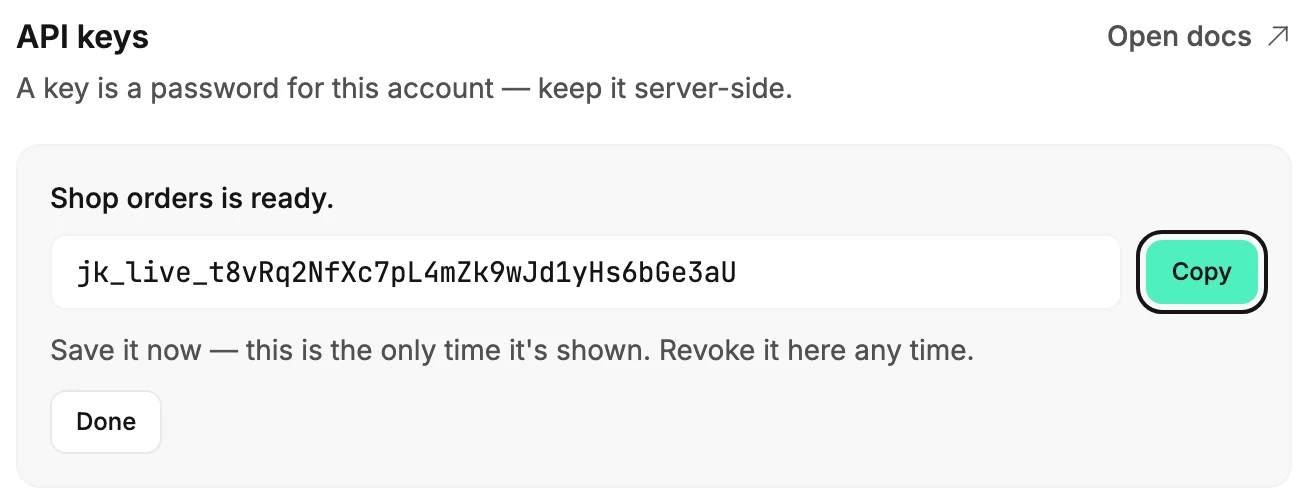
Careful The line under the key says it: Save it now — this is the only time it’s shown. Once you select Done, Jounce keeps only enough of the key to tell it apart in the list. If it’s lost, revoke it and create a new one.
What happens next
- The key joins the list with its name and badge, reading Never used until the first request arrives.
- The key reads and writes this workspace only, for as long as it exists. Which kind to choose is explained in Full access and read-only keys.
- Open docs at the top of the card holds the addresses your code calls and an example request to try the key with.
If Jounce refuses
If you haven’t verified your email yet, Create key opens Verify your email to create a key, and the form keeps what you filled in. Open the link Jounce sent you, select I’ve verified, then select Create key again. See Verify your email address.
For any other refusal, the form reads That key wasn’t created — your existing keys are untouched. Try again. The same sentence shows when the workspace already holds ten keys. Revoke one you no longer use, then try again; see Revoke an API key.
Next step
Hand the key and the docs to whoever writes the code. What the key lets that code do is in What the developer API can do.
More in this topic
Updated