

Revoke an API key
Short answer
On the Developer API page, an Admin or Manager selects Revoke at the end of the key’s row, then Revoke key. Anything using the key stops working right away, and a revoked key can’t be brought back.
When you’re done, the key is gone from the list and no longer opens your workspace. You need to be an Admin or a Manager of the workspace.
- Select your avatar at the top right. Choose All settings, then Integrations under Workspace.
- Select Set up on the Developer API card. The API keys card lists every key the workspace has, and each row says who made it.
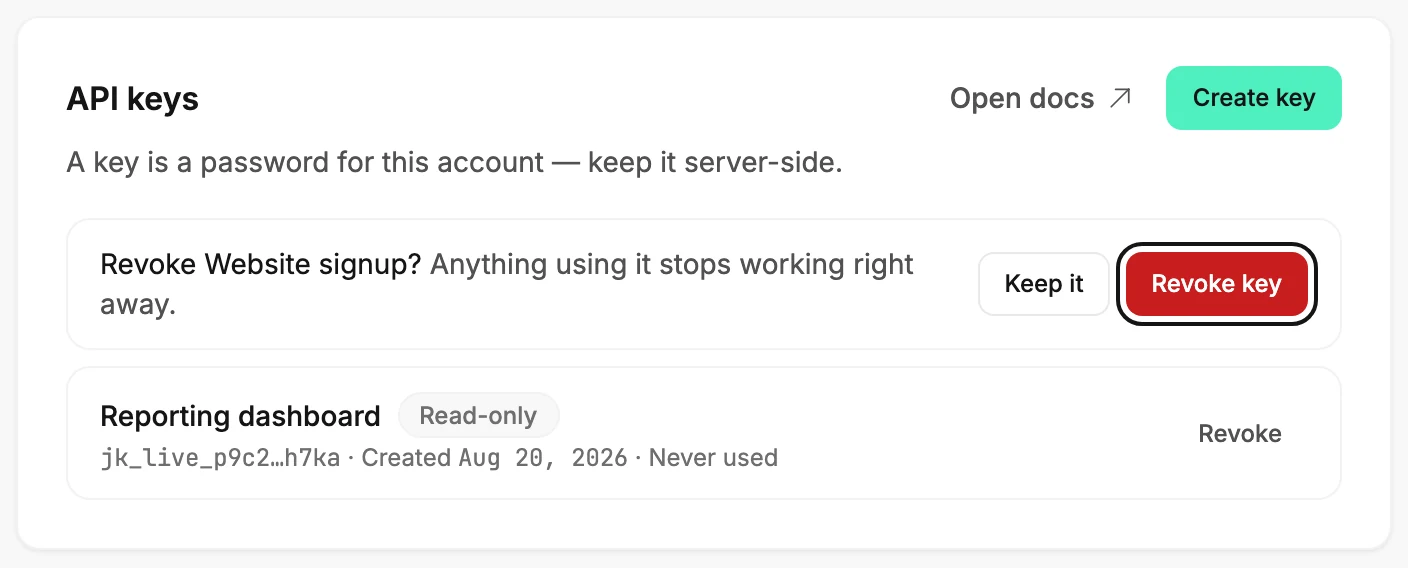
- Select Revoke at the end of the key’s row. The row asks Revoke ⟨name⟩? Anything using it stops working right away, with Keep it and then a red Revoke key.
- Select Revoke key. Keep it, or Esc, closes the question with nothing changed.
Careful A revoked key can’t be brought back. If code still needs to reach Jounce, create a new key first and swap it in, then revoke the old one.
What happens next
- The row disappears, and the next request that shows the old key is refused.
- Everything the key added stays. Subscribers, segments, custom fields, and webhooks it created are yours, not the key’s.
- Nothing else in the workspace changes.
When Jounce refuses
- That key wasn’t revoked. It still works — try again. The request didn’t reach Jounce, so select Revoke key once more.
- Only workspace admins and managers can do this. The button showed before Jounce finished checking your role, or your role changed; see Why does it say admins and managers approve connections?
Note Zapier and other apps that connected through the ⟨app⟩ wants to connect to Jounce screen don’t use a key from this page. Disconnect those under Connected apps on the Integrations page; see Disconnect a connected app.
Next step
If the key was in use, create its replacement; see Create an API key.
More in this topic
Updated