

The Pages page
Short answer
Open Pages to see every form page and link-in-bio page you’ve made, newest first, each with its name, its kind, and a Draft or Live label. Search, Sort, Status, Kind, and Folder sit above the cards, and Create page at the right.
Pages in the top bar opens the Pages page. It lists your form pages and link-in-bio pages, the kinds with a link of their own. Your pop-ups and inline forms are on the Forms page instead. Under the title, a count says how many pages you have.
Each card
A card shows the page itself, draft or live. Select anywhere on it to open the page in the editor, the same editor forms use. Under the page’s name, the card says its kind: Form page or Link in bio. See The kinds of page.
The label in the corner reads Draft or Live. Draft and live explains the difference.
The three dots on a card open its menu, in a page’s own words:
- Edit opens the page in the editor.
- Share opens the editor with its Share dialog already open, where the page’s link is. It appears only on a live page.
- Rename opens the Rename page dialog.
- Duplicate makes a copy, and Jounce says Page duplicated.
- Add to folder files the page in one of the Pages page’s own folders.
- Delete page removes it. Managers and Admins see this row; Editors don’t.
Renaming, duplicating and deleting work as they do for a form. See Rename a form and Delete a form.
Above the cards
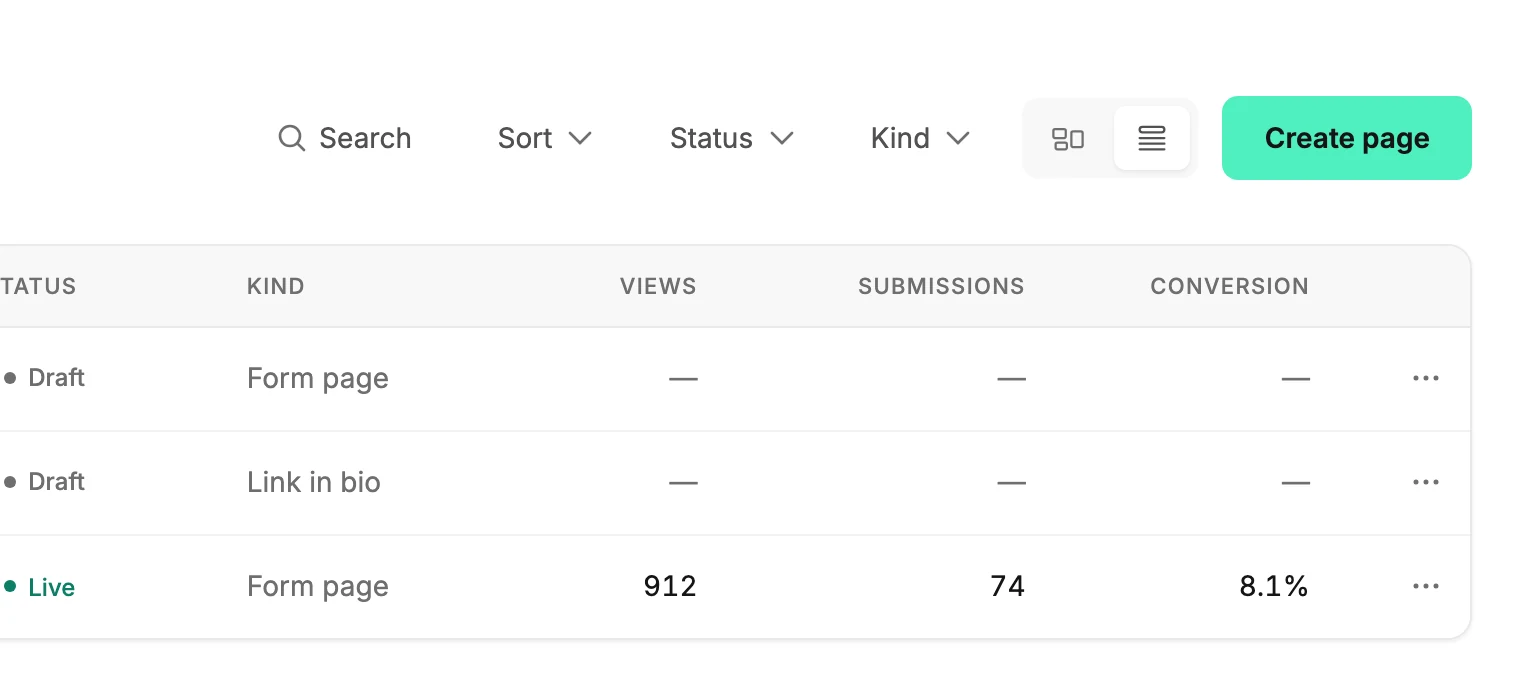
Search, Sort, and Status work as they do on every list. Kind lists All, Form page, and Link in bio, each with a count. Folder appears once you’ve made a folder here; the Forms page keeps its folders apart. See Search, sort, and filter a list.
The two small buttons beside Create page switch between cards and a list. The list shows each page’s Kind, Views, Submissions, and Conversion since it went live. Results shows the same numbers over a time range you pick, on its Pages tab. See The Pages tab.
Create page
Create page asks How do you want to start? under the line New page. Start with a template opens the gallery, titled What kind of page?, and Start with AI opens What’s the page for? See Create a form or a page from a template.
Under the two choices, one link reads Want it on your website? Create a form. It opens Create form, for a pop-up or an inline form.
Before your first page
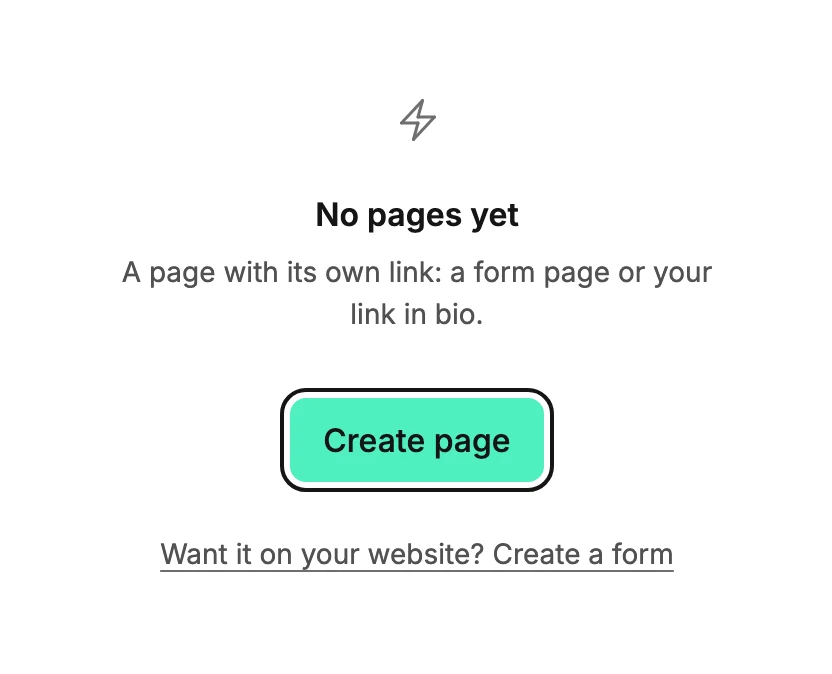
With no pages yet, the page reads No pages yet and A page with its own link: a form page or your link in bio, with one button, Create page. The same link to Create form sits under it.
More in this topic
Also answered here
- how many views does my page have
- where is my link in bio page
- how do I see all my pages
Updated