

Open one email’s or automation’s results
Short answer
On the Emails tab, a row under Recent sends opens that email’s results; on the Automations tab, a row under Your automations opens its results. Back, at the top left of either, returns you to the tab you left.
When you’re done, one email’s or one automation’s results page is open, and Back at its top left returns you to the tab you left.
An email’s results
- Open Results and choose the Emails tab.
- Scroll to Recent sends. The table lists the newest sends in the range, up to ten.
- Select a row, or its subject. The email’s results page opens, with Back and Results in the bar at the top.
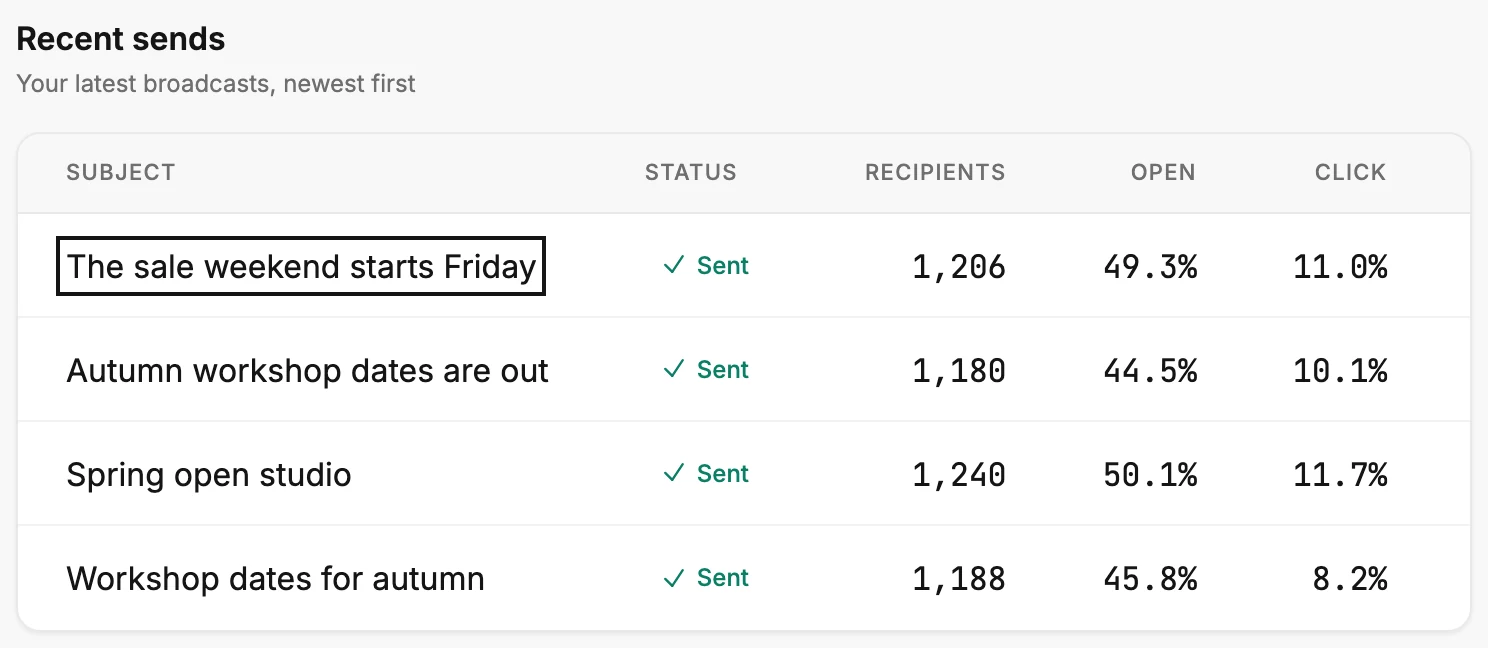
A row opens only when its email still exists. A send whose email was deleted keeps its numbers in the table, but nothing opens. An older send isn’t in the table at all. Open Emails in the top bar, point at its card, and select View results. See Open an email’s results.
An automation’s results
- Choose the Automations tab.
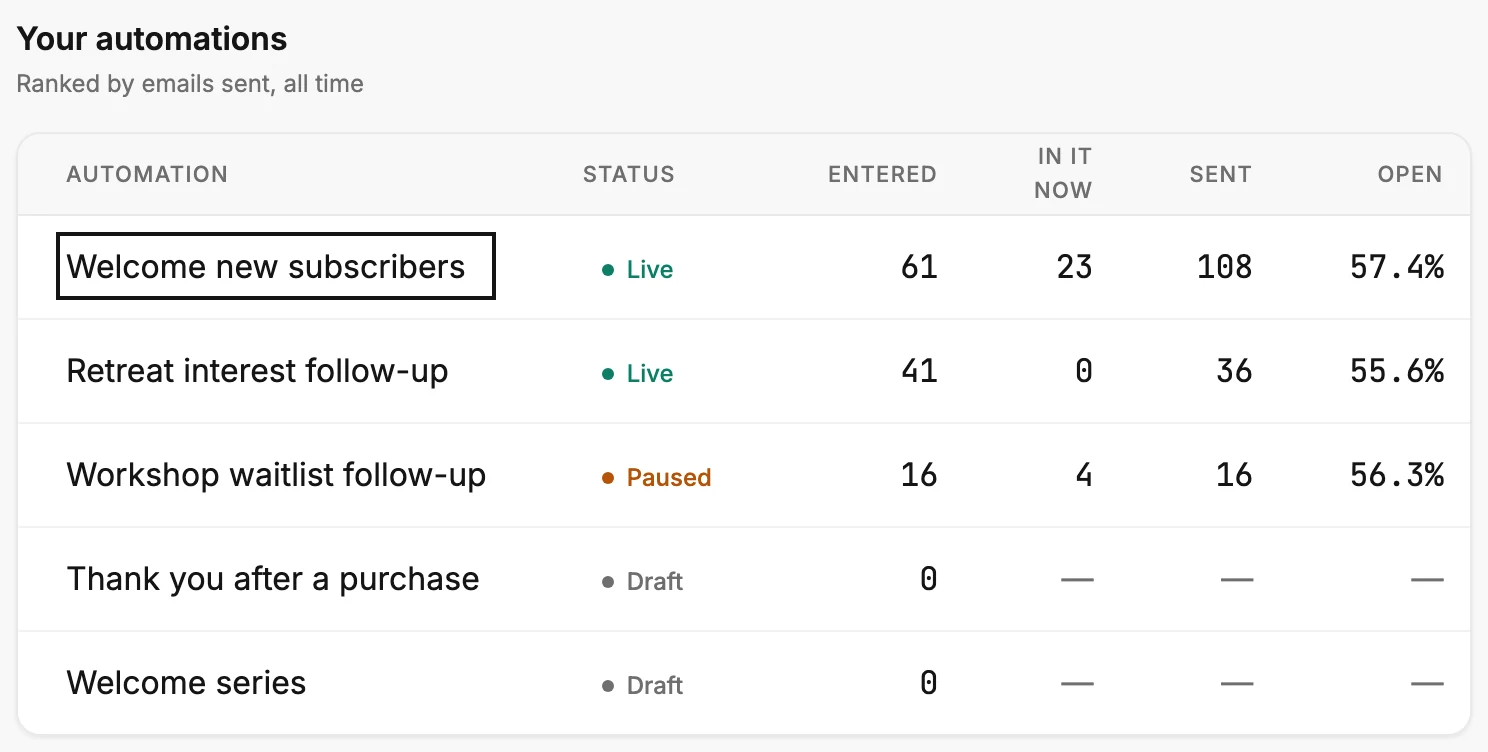
- Scroll to Your automations. Every automation has a row, drafts included.
- Select a row, or its name. The results page opens, with Back and Results in the bar at the top. A draft’s page says it hasn’t started yet.
To come back
Select Back at the top left, or press Esc. You land on the tab you left.
Note The tables on the Forms and Pages tabs don’t open anything. To change a form or a page, open Forms or Pages in the top bar. The Contacts tab has no table; its lists show counts only.
Next step
What each page shows: An email’s results page and An automation’s results page.
More in this topic
Also answered here
- why can't I click a row on the forms tab
- how do I get back to the results page from an email
- recent sends row not clickable
Updated